

Days Off (PTO)
Paid Time Off: Happy & healthy employees are a main priority for LowCode Agency, so we take benefits pretty seriously. We’re constantly working to update and expand on the benefits we offer.
Work from anywhere 👨💻🌎
Remote is our new reality. We're making the best of it, and we virtually meet up every few weeks.
Benefits
We have a company-wide $300 quarterly education budget for any course you want to take for your personal or professional development. Just confirm first with Angie or your manager if there’s available budget and ask her for the purchase. It’ll end up being here:
*The same goes for any tool or software license you might need to help you do your job better.
Work schedule ⏰
We no longer offer flexible schedules. Everyone works full time, office hours, in their contract’s time zone.
Time off 🏖️
Full-time employees get 15 days of PTO a year. Follow the rules below when you plan time off.
Let us know the days you will be OOO so we can keep a record and take it into account for the development of the projects.
Notify your team.
Update your OOO settings in your Gmail.
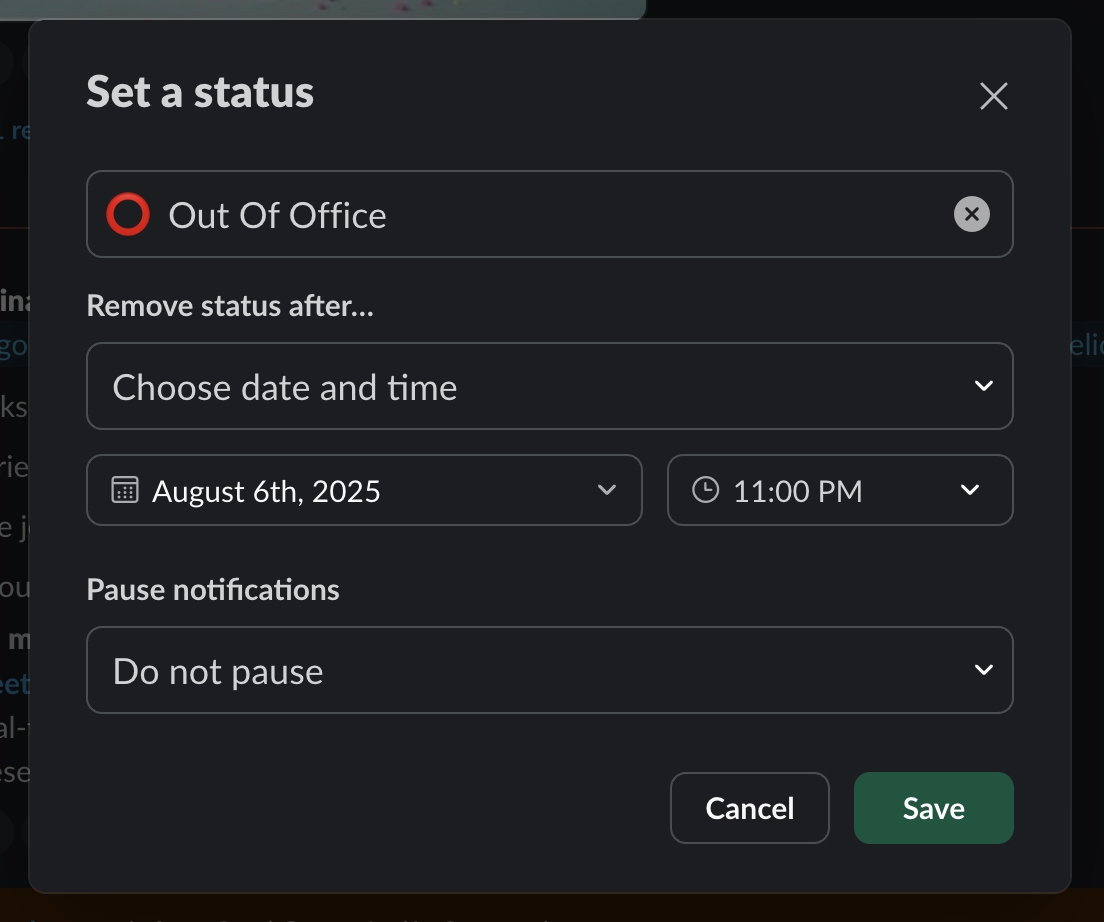
Update your slack status like this:

Note: This PTO policy applies to everyone full time, including developers.
PTO (Paid Time-Off) for full-time employees
15 days of vacations per YEAR (after 6 months working on LowCode) *except emergency or sickness (max 1 day)
You do not accrue or use PTO during your first 6 months of employment.
Once you reach 6 months + 1 day of tenure, you become eligible for 7.5 days of PTO to be used between month 6 and month 12.
On your 1st anniversary working with LowCode, the remaining 7.5 days are unlocked, completing the total 15-day annual PTO.
Vacation days renew on the anniversary of your original contract signing date (you can review your contract's start date on your dashboard)
Employees may take a maximum of 5 consecutive days off. To request additional days off (whether 1 day or more), you must first return to work for at least as many days as you were away.
Example: If you take 5 days off, you must work at least 5 days upon return before requesting time off again.
Request vacations at least 2 weeks in advance for them to be granted. Otherwise, that day counts as two days against your PTO balance.
We expect that you be available, especially if you have ongoing projects.
You can’t request PTO if your peer(s) aren’t available at the same time (i.e. a designer can’t take PTO on the same days as another designer, for example)
If your manager approves additional days over the 15 days per year, those additional days will be deducted from your period’s invoice.
Mothers can request additional unpaid half days when a child is sick or needs to stay home. These do not count against the 15-day PTO balance.
PTO Priority Policy:
For December holidays or any other dates throughout the year, when multiple employees request the same time off, priority will be given based on tenure. The employee who has been with LowCode the longest will receive priority.
Example: If two designers request the same dates off, the designer who has been with LowCode longer will be granted the time off first.
December Vacations
Special Holiday Dates:
December 25th and January 1st are granted to all LowCode employees without counting against PTO, regardless of tenure.
We strongly recommend taking December 24th and December 31st as well. These dates will be granted to everyone who requests them (regardless of how long they have been at LowCode) and will count against your PTO balance.
December PTO Submission Deadline:
Due to the high volume of December holiday requests, all PTO submissions for December must be submitted during the first week of November to ensure proper planning and approval.
Key Points
Never feel bad for taking time off for being sick, spending time with your family, or any other priority in your life. This is what PTO is for, so make sure you use it.
Post your OOO in the channels you’re active, with as much notice as possible (if necessary, mention what projects are open and if you need help from someone).
Set your Slack status to “🚫 OOO” to inform your colleagues (as indicated above).
Please be mindful of not taking PTO during a high-priority project or immediately after a launch (in case you are needed for debugging). If you do have to be away, then please ensure all knowledge is transferred to someone else in the team so they can effectively cover your position.
Yearly bonus 🎅
You may receive a bonus each December based on your percentage of time worked at LowCode throughout the year and your KPIs. It’s linked to your performance within the company, our revenue and profits and our expenses.
Setting up your OOO
Client facing
1. Make sure to let your clients know you'll be OOO at least one week in advance, so they are not caught off guard.
Send them an email letting them know. You may use this template:
Subject: Quick Update: Your Coverage While I'm Away [Dates]
Hi [Client Name],
I wanted to give you a heads-up that I'll be out of the office from [Start Date] through [End Date]. I've made sure everything is set up for a seamless experience while I'm away.
[Dev/PE/Designer Name] will be your go-to contact and is fully up to speed on your project. For the fastest response, please send any requests through Plutio so the team can jump on them right away. And if anything urgent comes up, Ceci, our Head of Operations, will be keeping a close eye on things.
I'll be back on [Return Date] and will check in to make sure everything's on track.
Thanks so much—reach out to the team anytime if you need anything!
Best, [Your Name]
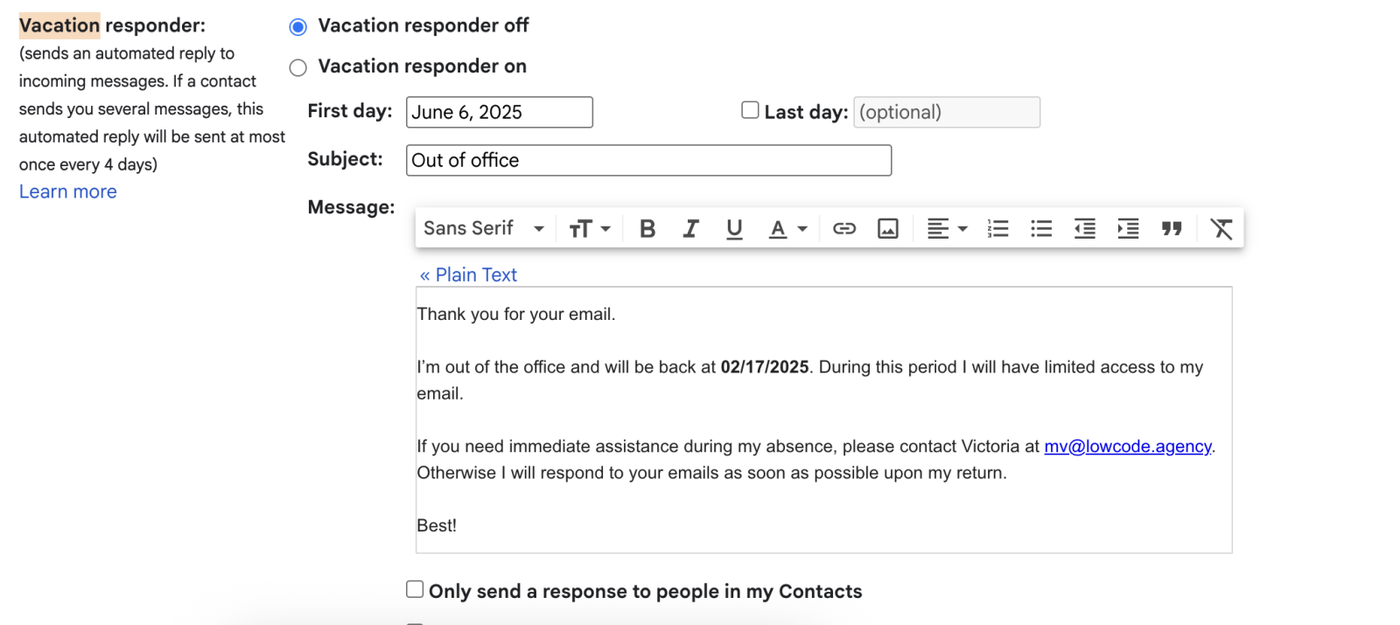
2. Setup an automatic OOO response in Gmail.
Go to Gmail and click the gear icon → See All Settings.
Navigate to the “Vacation Responder” section under the General tab.
Turn the responder ON.
Set the date range for your absence.
Example message:
Subject: Out of Office – [Your Name]
Hi there,
I’m currently out of the office and will return on [return date]. During this time, I will have limited access to email.
For urgent matters, please contact [Head of OPS] at [email].Best,
[Signature]Save changes.
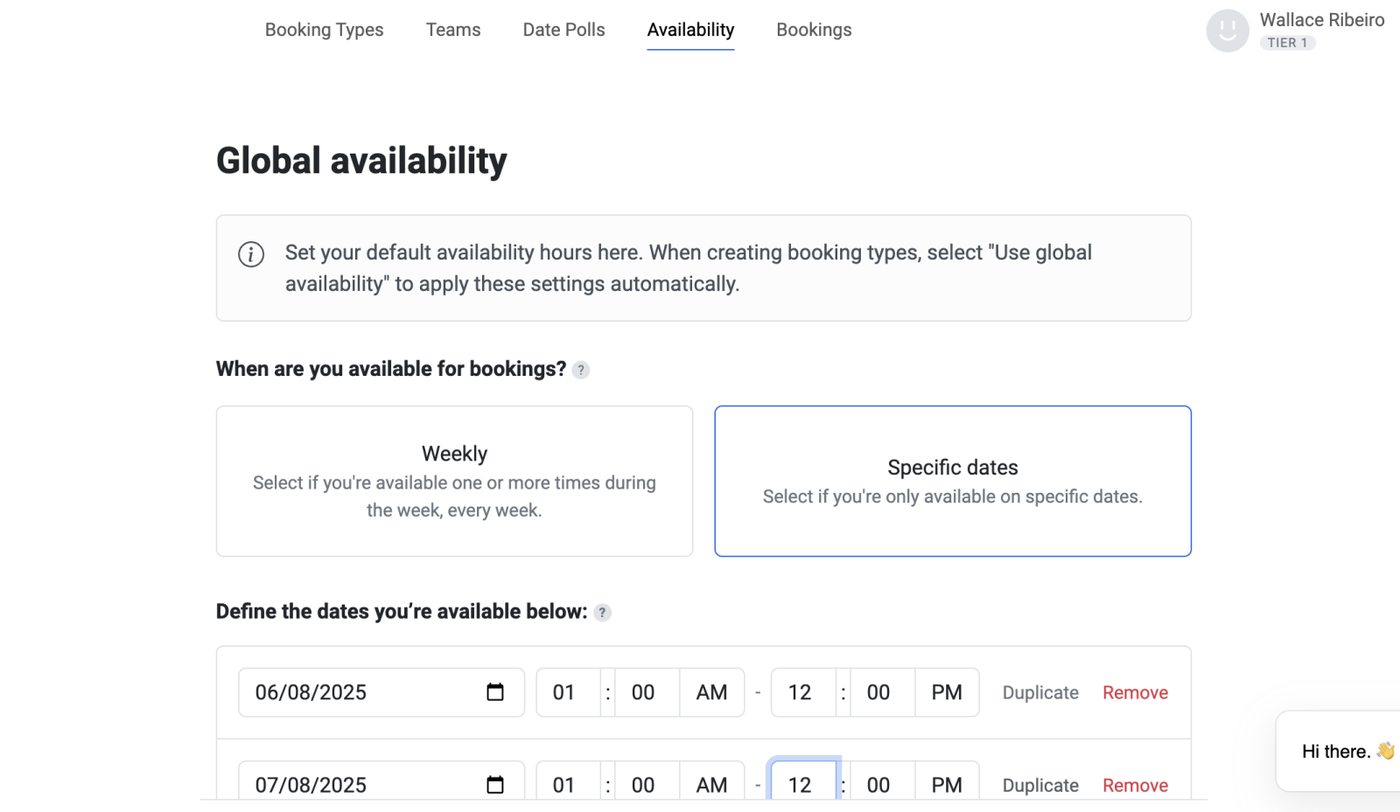
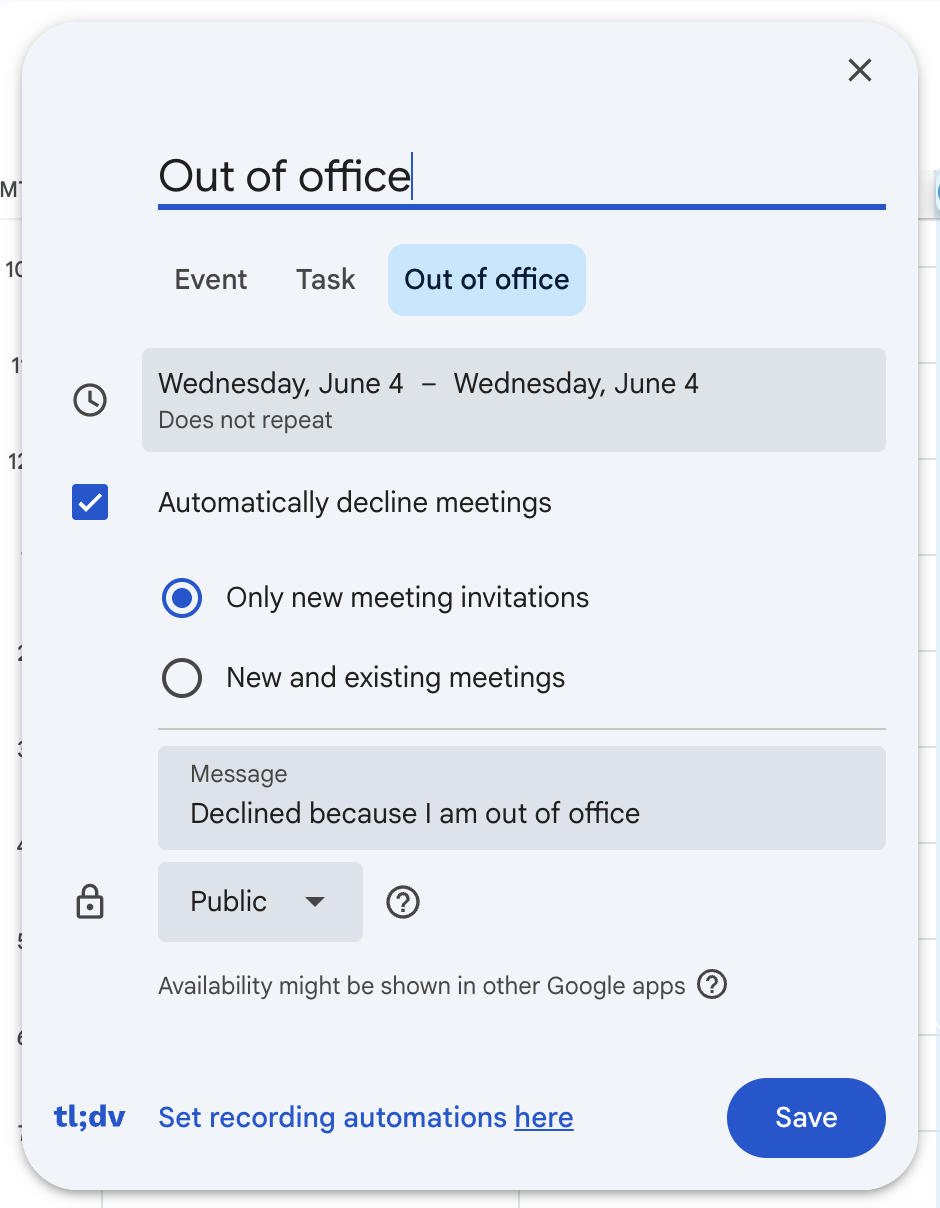
3. Block your availability in your calendar and on your booking link ensuring clients can't book you when you're OOO
Tidycal | Google Meet |
|
 |
4. Set a Status and Notification on Slack
Open Slack and click on your profile picture (top right).
Select Update your status.
Set status to: ⭕ OOO – Back on [return date].
Under Clear after, choose “Don’t clear.”
Optionally, activate Do Not Disturb for the duration of your leave.
5. On the external Slack channel with your client
Add the lead dev to the channel
Introduce Ceci to the client
Ask the client to tag the dev when they need something, if they need to escalate, they need to tag Ceci
If Ceci needs to escalate, she will ping Jesus
Internally
1. Who will cover you? The project's team. So the Dev and the Designer. Dev will be the main assignee to cover for you while you're gone, and they can escalate any matter to HO if needed, or handle it themselves if not needed.
2. Make sure to let everyone on the team know you will be OOO at least a week in advance, make sure your Dev knows they are the ones responsible to cover you while you're gone.
3. In slack in the "Project Overview" canvas add the template below to each of your projects. Make sure to leave this at least 2 days before your days off.
ADD a Callout
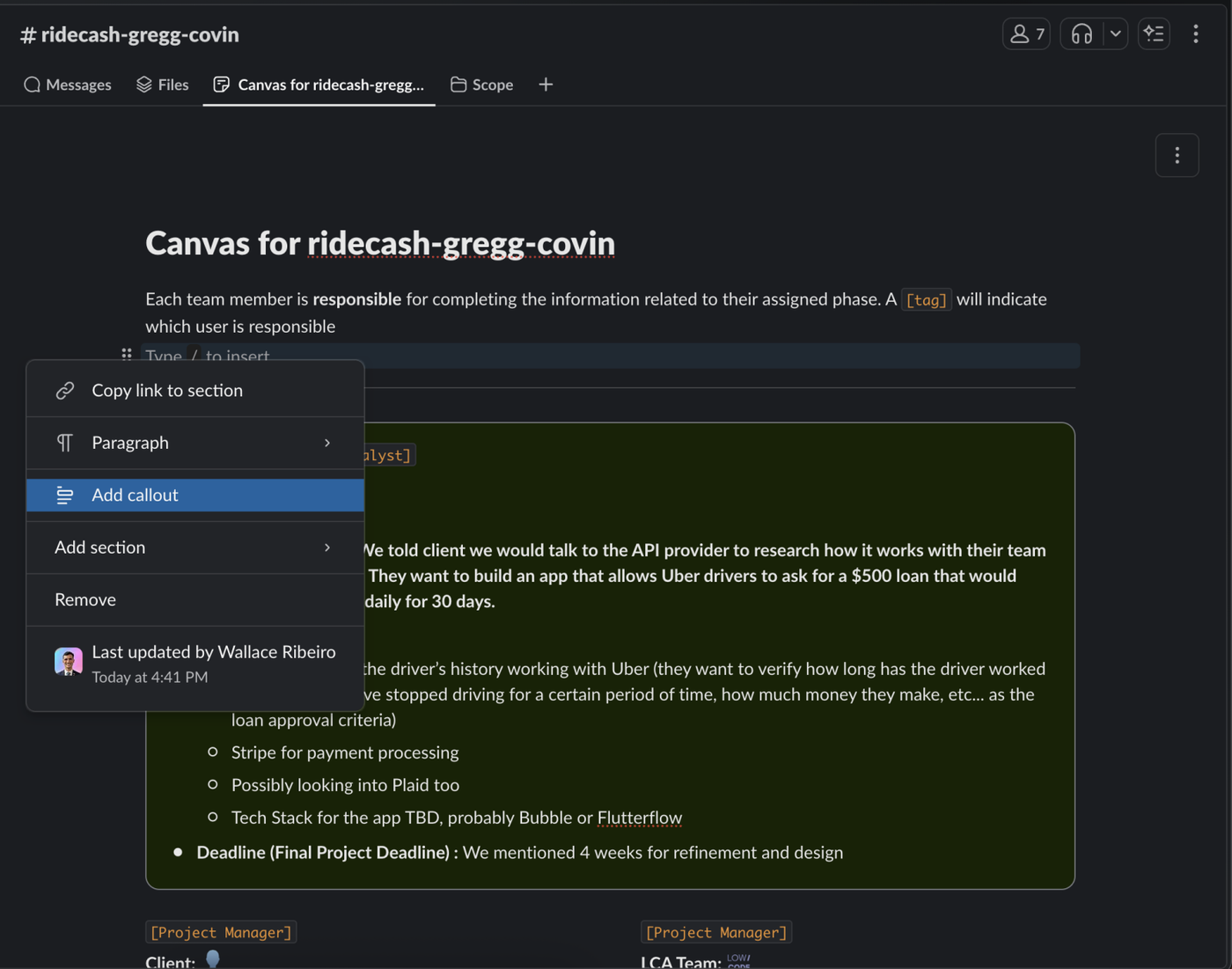
Current Status Overview
Current Phase: [Refinement/Design/Development]
Status: [In progress/Blocked until...]
Type: [V1/V2/Enterprise plan/Maintenance/etc.]
Upcoming milestones/actions for the next 2 weeks:
[...]
[...]
Potential risks/blockers:
[...]
[...]
Tasks to be Handled During Absence
Assign point of contact for each project (e.g., Tech Lead or Account Manager).
Share documentation or relevant links with them.
Notify team leads and clients if necessary.
Add your project information as the example below:
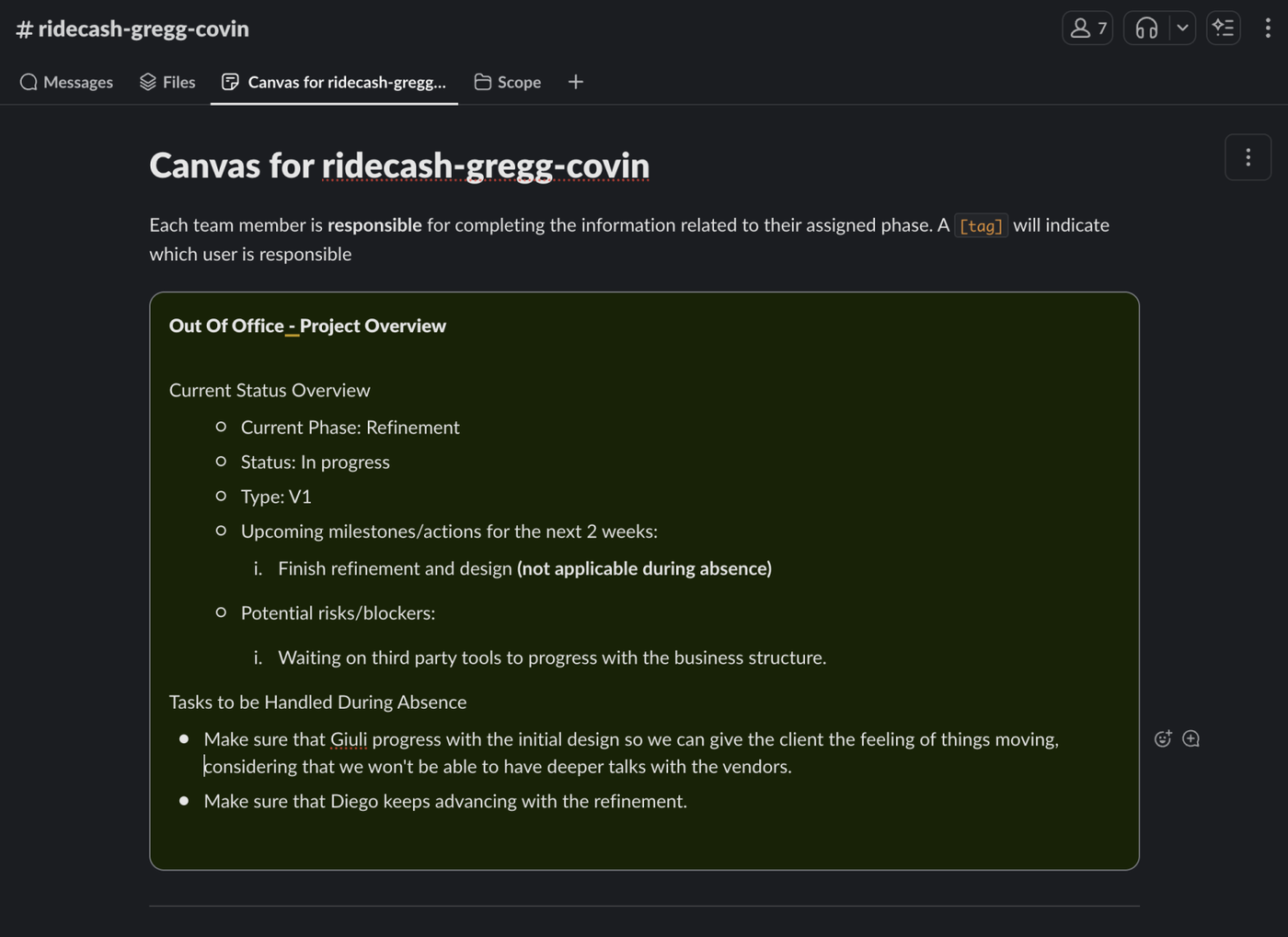
You shouldn't request time off when there's important deliverables for your project or hard deadlines so please make sure to coordinate your schedules accordingly. You should also make sure your team is there to cover you, we don't want a situation with no PM and no Dev because their both OOO.
How to summit your PTO
