

Notifications Workflow - Email/SMS
Purpose
This SOP outlines the process for documenting and managing email/SMS notifications in our applications. Notifications are essential for user engagement and workflow automation.
Workflow Overview
-
Document Triggers and Conditions in the Wireframe
-
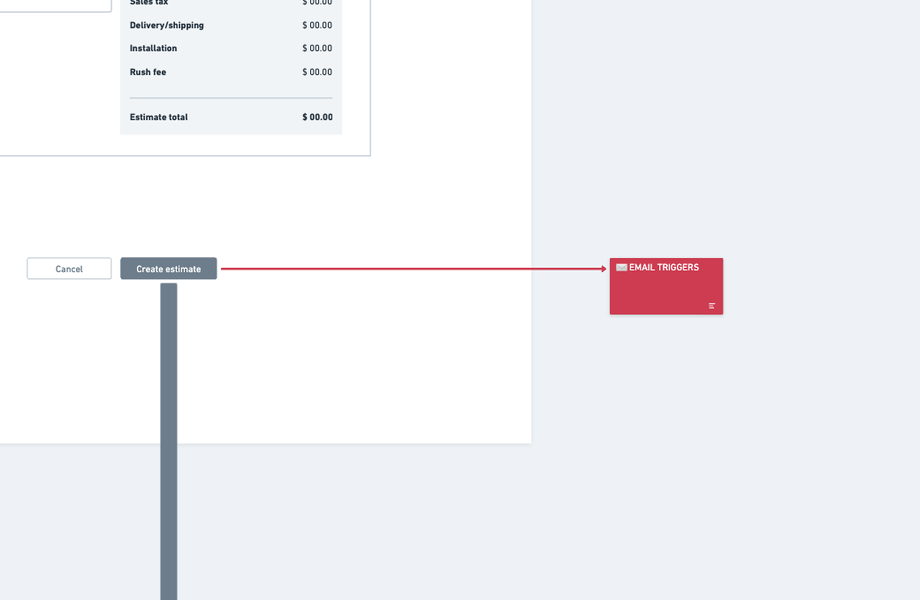
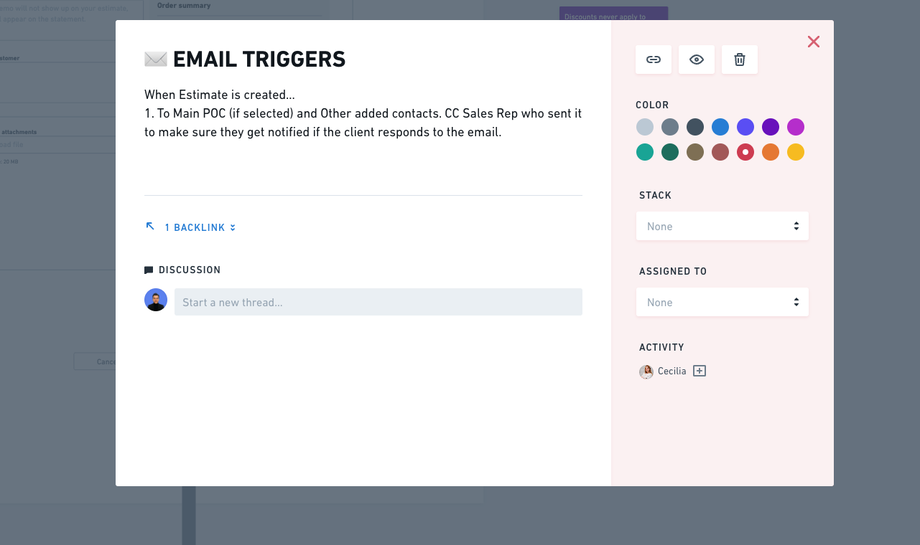
Notifications are visualized in the wireframe using cards, see examples in these images:
-
-
The following details must be specified on each notification card:
-
Trigger: What event initiates the notification (e.g., "Estimate created").
-
From: Who sends the notification (e.g., system, specific role).
-
To: Who receives the notification (e.g., Main POC, Sales Rep).
-
When: The timing of the notification (e.g., immediately, or with a condition like "every 30 days").
-
Conditions: Any additional logic or scheduling criteria.
-
-
-
Transfer Notification Details to the Datasheet
-
After documenting the notifications in the wireframe, move them to the datasheet.
-
The datasheet includes the following columns:
-
Trigger: When x action is taken.
-
Subject: Title of the notification.
-
Body: Content of the notification.
-
-
The client is responsible for completing the Subject and Body fields in the datasheet.
- We can make suggestions for Subject and Body if the clients do not have them clear.
-
-
Match Wireframe and Datasheet
-
The Business Analyst (BA) ensures alignment between the wireframe and datasheet:
-
All documented triggers in the wireframe must appear in the datasheet.
-
Verify that the correct details (Trigger, From, To, Conditions) are consistent between both documents.
-
-
-
Proactive Notification Suggestions
-
All team members are encouraged to take the initiative to:
-
Identify missing notifications during development.
-
Suggest improvements to existing notifications to ensure a smoother user experience.
-
-
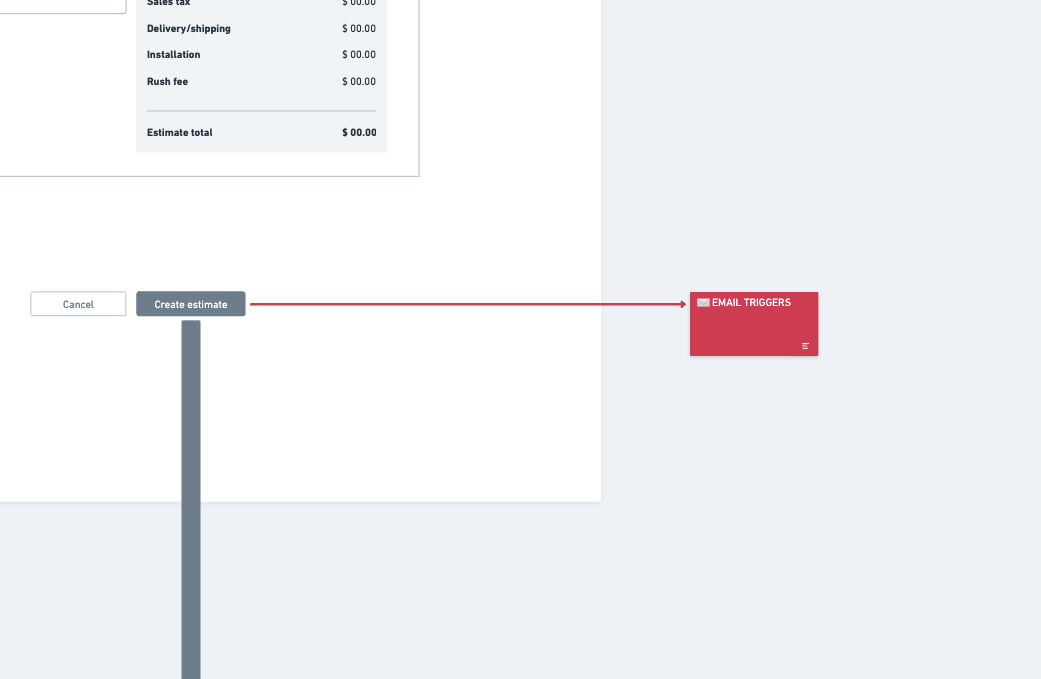
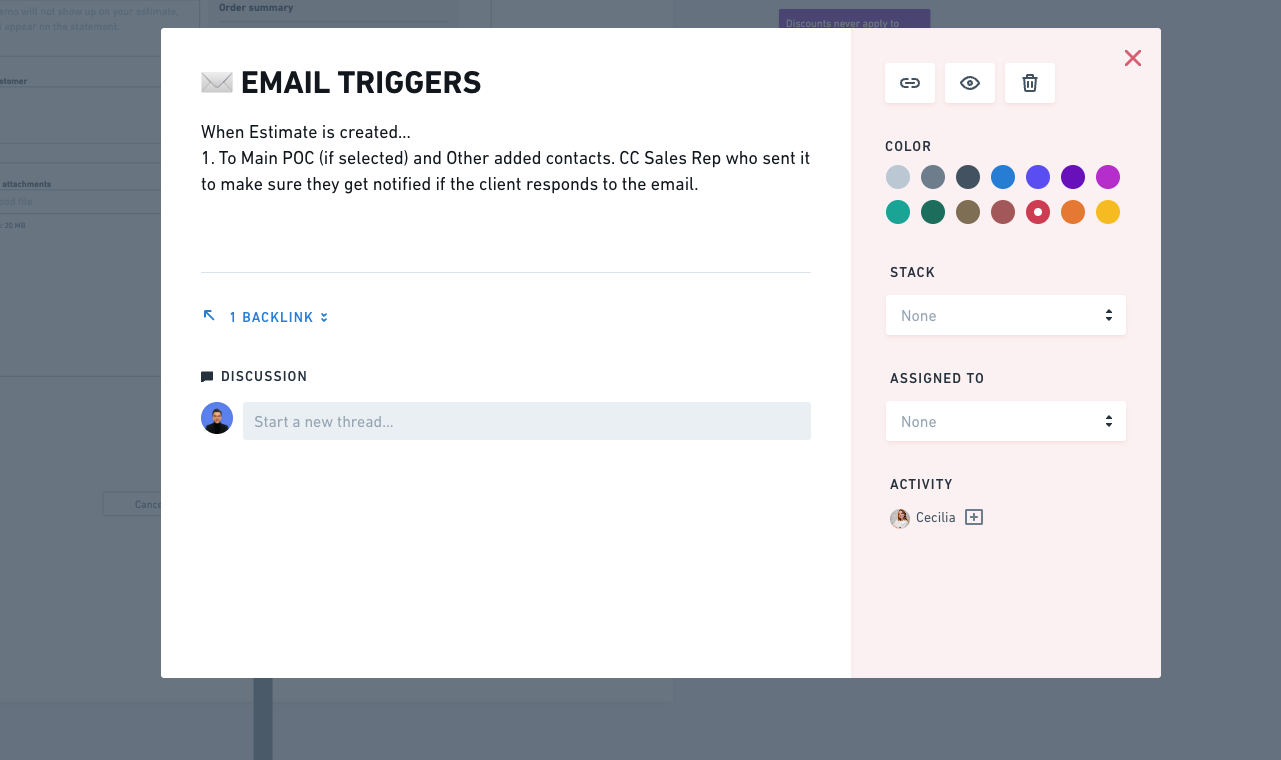
Example Notification Card (Wireframe)
-
Trigger: Estimate created
-
From: System
-
To: Main POC, Other contacts, Sales Rep (CC)
-
When: Immediately
-
Condition: None
Example Datasheet Entry
| Trigger | Subject | Body |
|---|---|---|
| Estimate created | Your Estimate is Ready | "Hi, your estimate has been generated." |
Important Notes
-
The wireframe is the initial source of truth for all notifications.
-
The datasheet serves as the final reference for implementation, including client-approved content.
-
Regularly review notifications to ensure consistency and completeness.