

PM OOO - Delegating Projects
Client Facing
1. Make sure to let your clients know you'll be OOO at least one week in advance, so they are not caught off guard.
Send them an email letting them know. You may use this template:
Subject: Quick Update: Your Coverage While I'm Away [Dates]
Hi [Client Name],
I wanted to give you a heads-up that I'll be out of the office from [Start Date] through [End Date]. I've made sure everything is set up for a seamless experience while I'm away.
[Dev/PE/Designer Name] will be your go-to contact and is fully up to speed on your project. For the fastest response, please send any requests through Plutio so the team can jump on them right away. And if anything urgent comes up, Ceci, our Head of Operations, will be keeping a close eye on things.
I'll be back on [Return Date] and will check in to make sure everything's on track.
Thanks so much—reach out to the team anytime if you need anything!
Best, [Your Name]
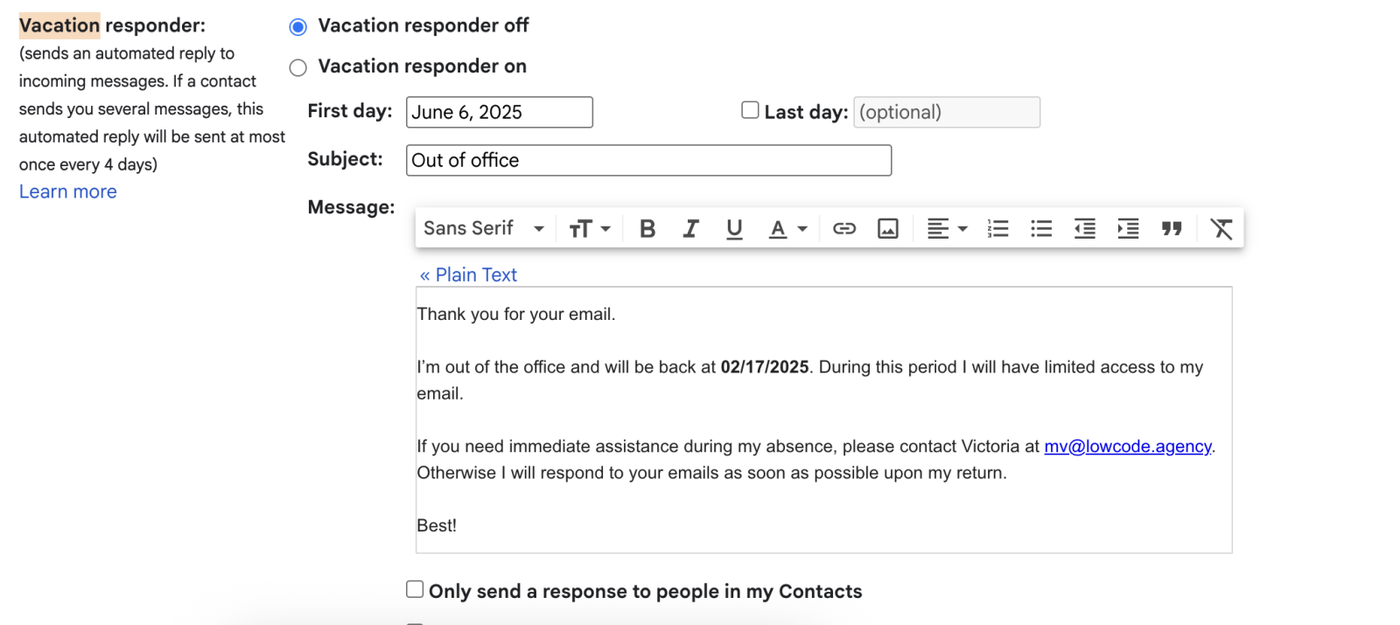
2. Setup an automatic OOO response in Gmail.
Go to Gmail and click the gear icon → See All Settings.
Navigate to the “Vacation Responder” section under the General tab.
Turn the responder ON.
Set the date range for your absence.
Example message:
Subject: Out of Office – [Your Name]
Hi there,
I’m currently out of the office and will return on [return date]. During this time, I will have limited access to email.
For urgent matters, please contact [Head of OPS] at [email].Best,
[Signature]Save changes.
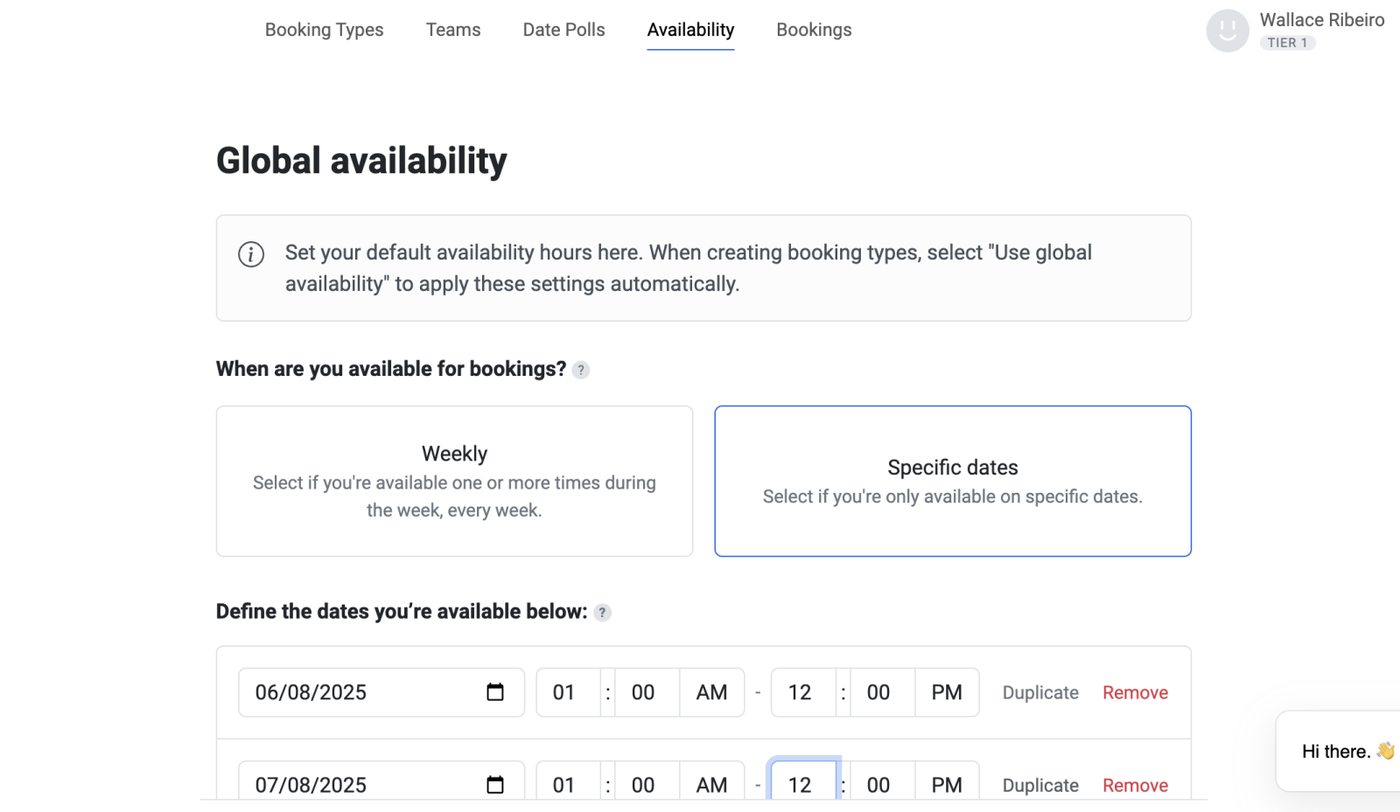
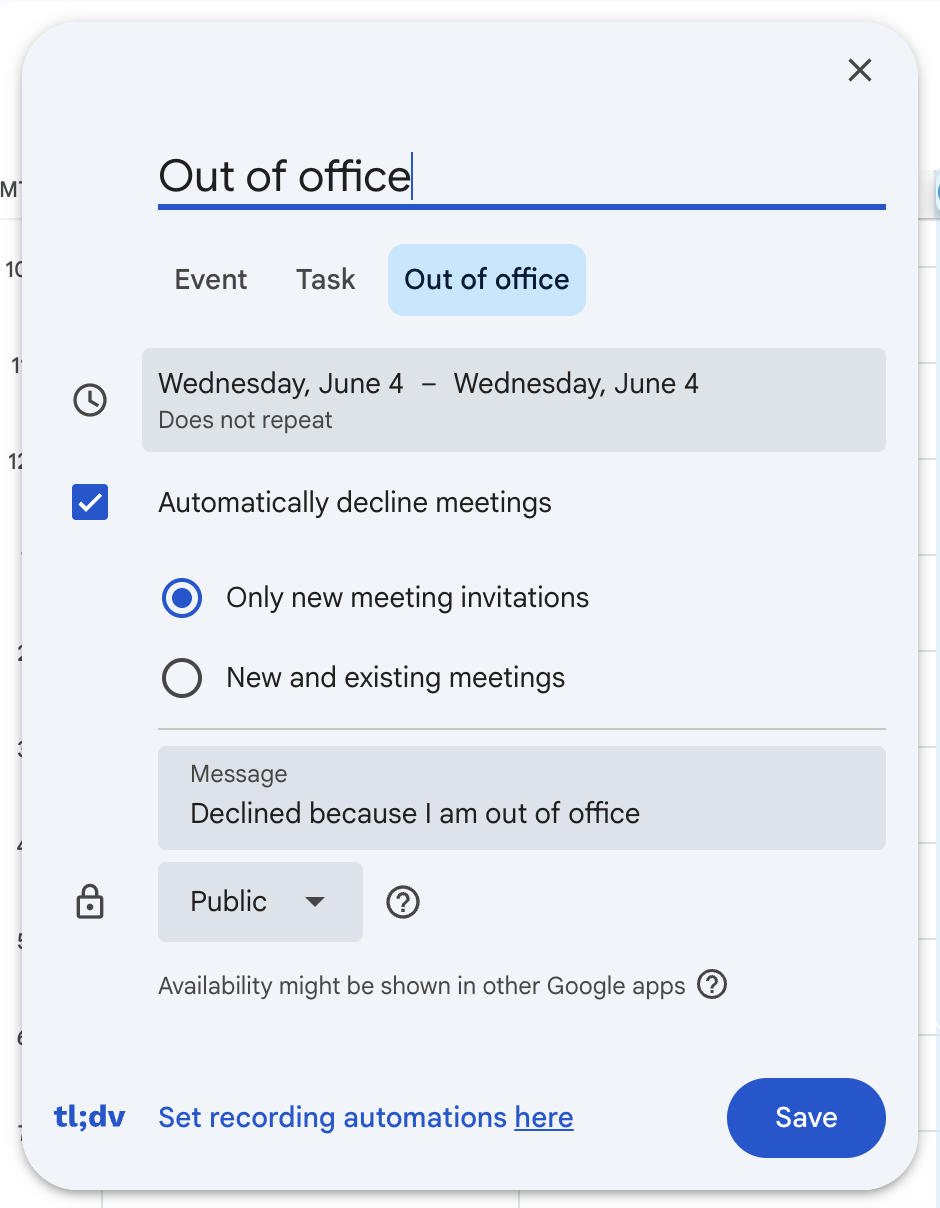
3. Block your availability in your calendar and on your booking link ensuring clients can't book you when you're OOO
Tidycal | Google Meet |
|
 |
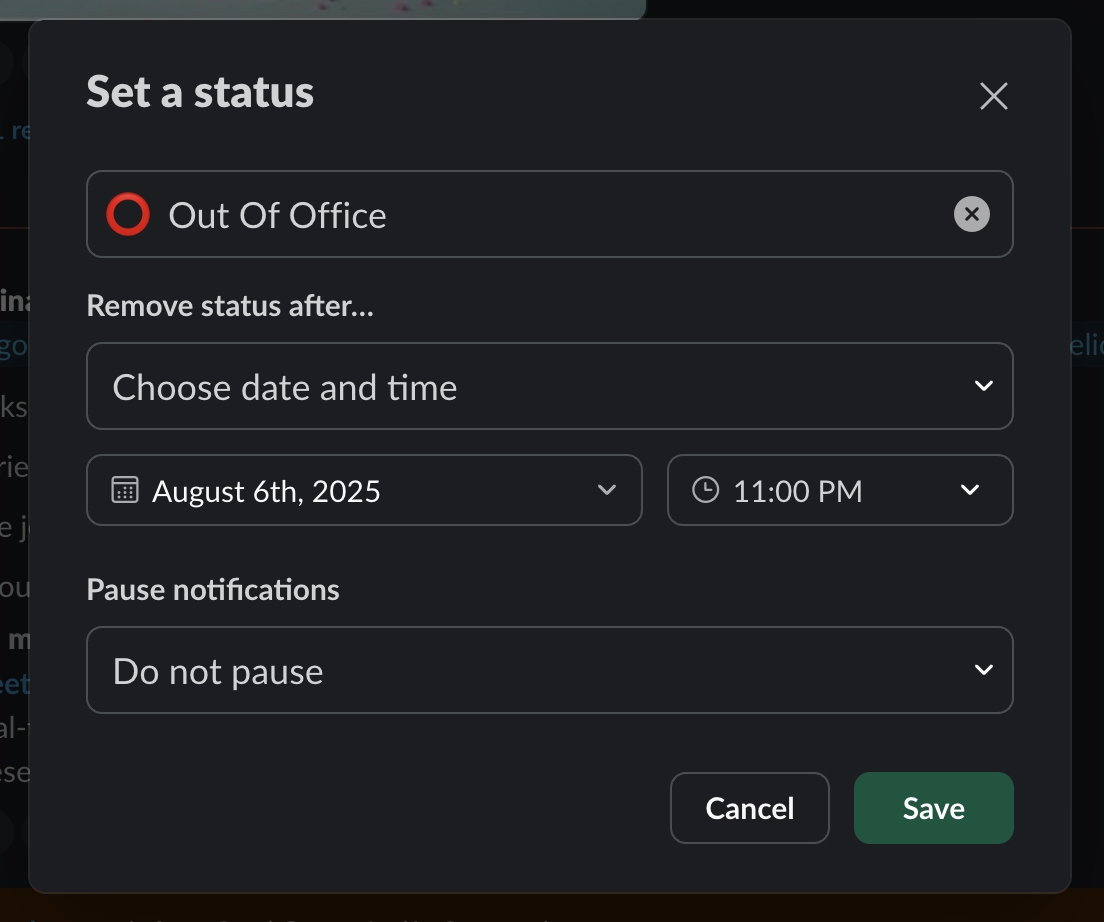
4. Set a Status and Notification on Slack
Open Slack and click on your profile picture (top right).
Select Update your status.
Set status to: ⭕ OOO – Back on [return date].
Under Clear after, choose “Don’t clear.”
Optionally, activate Do Not Disturb for the duration of your leave.
5. On the external Slack channel with your client
Add the lead dev to the channel
Introduce Ceci to the client
Ask the client to tag the dev when they need something, if they need to escalate, they need to tag Ceci
If Ceci needs to escalate, she will ping Jesus
Internally
1. Who will cover you? The project's team. So the Dev and the Designer. Dev will be the main assignee to cover for you while you're gone, and they can escalate any matter to HO if needed, or handle it themselves if not needed.
2. Make sure to let everyone on the team know you will be OOO at least a week in advance, make sure your Dev knows they are the ones responsible to cover you while you're gone.
3. In slack in the "Project Overview" canvas add the template below to each of your projects. Make sure to leave this at least 2 days before your days off.
ADD a Callout
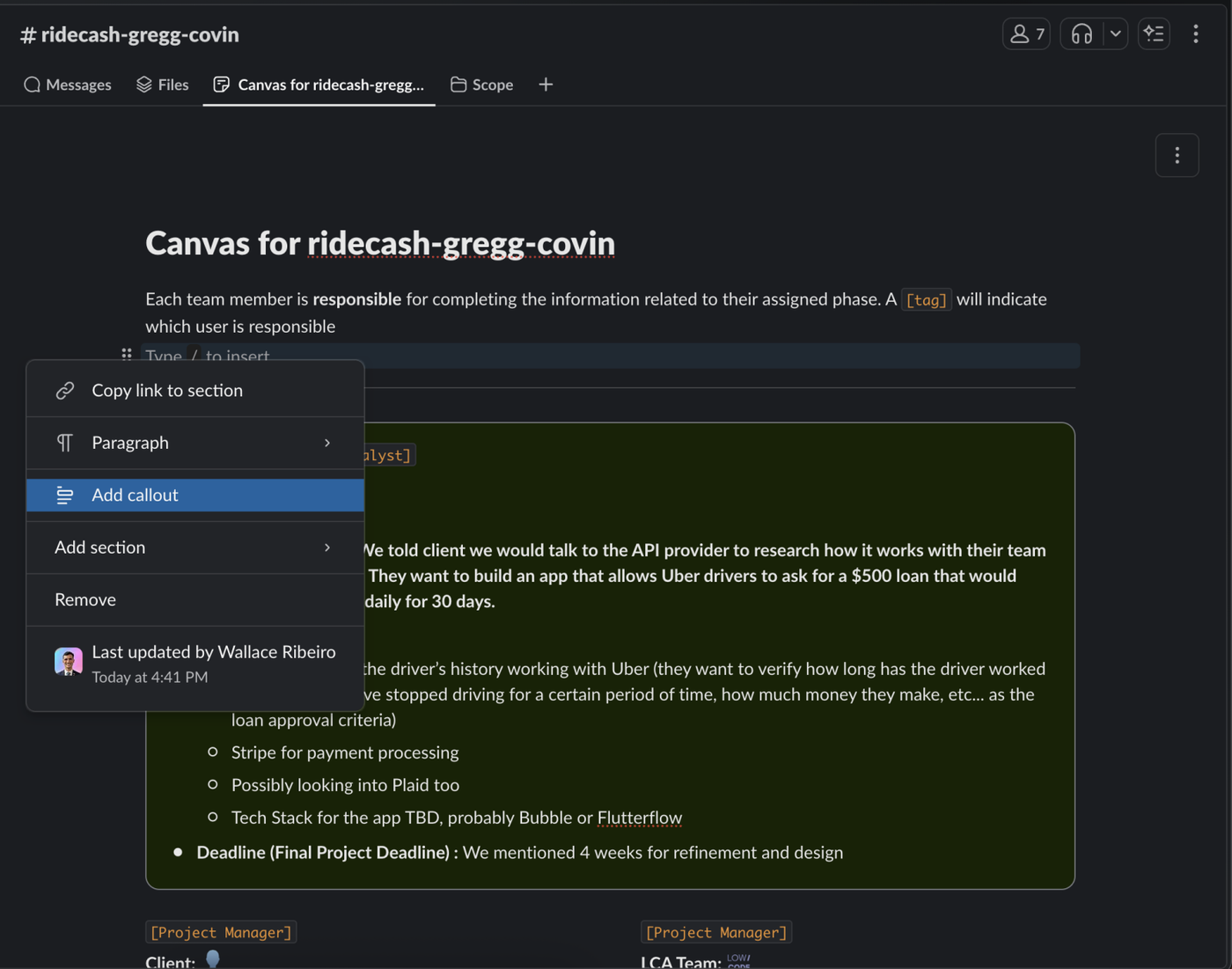
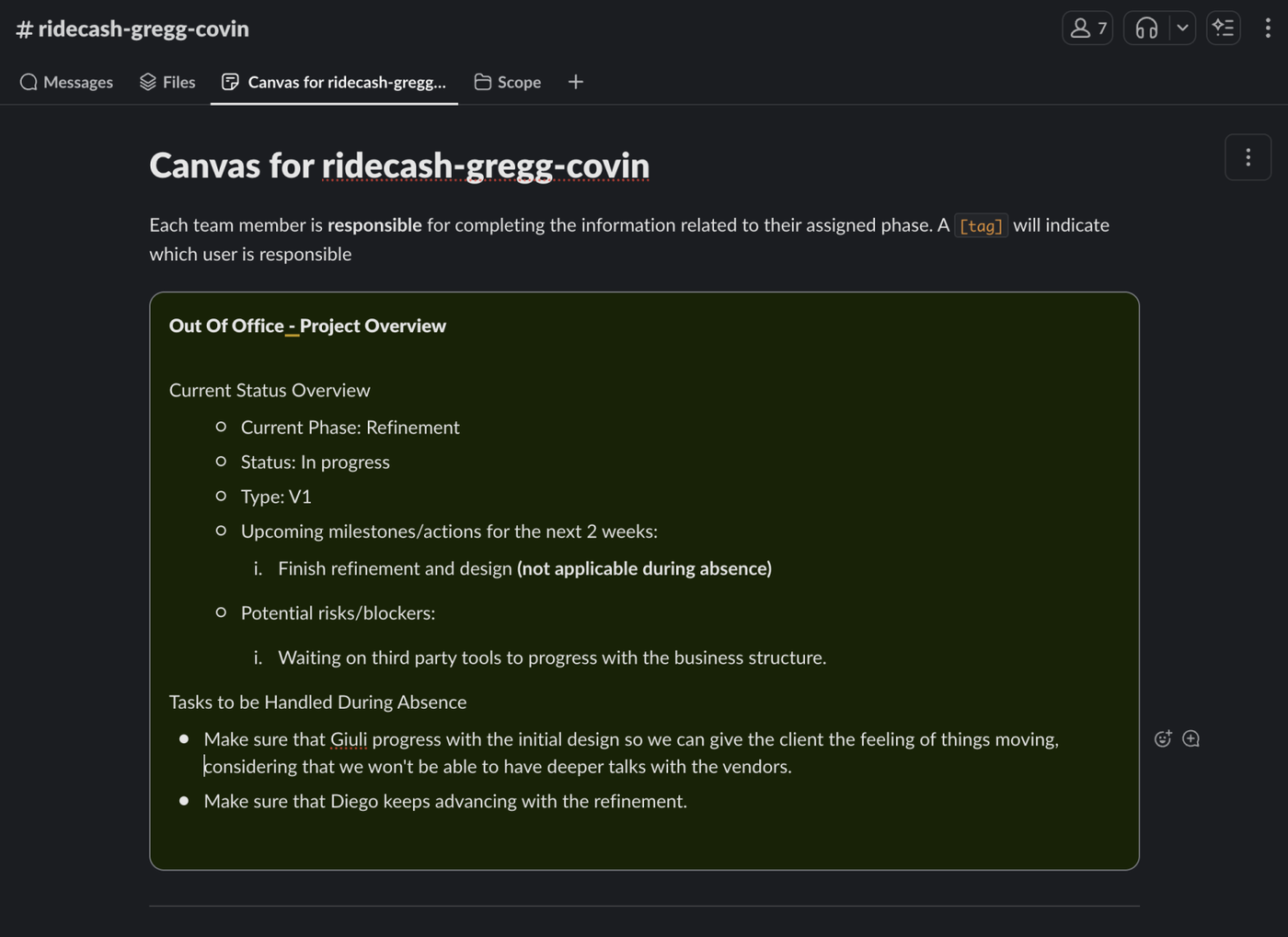
Current Status Overview
Current Phase: [Refinement/Design/Development]
Status: [In progress/Blocked until...]
Type: [V1/V2/Enterprise plan/Maintenance/etc.]
Upcoming milestones/actions for the next 2 weeks:
[...]
[...]
Potential risks/blockers:
[...]
[...]
Tasks to be Handled During Absence
Assign point of contact for each project (e.g., Tech Lead or Account Manager).
Share documentation or relevant links with them.
Notify team leads and clients if necessary.
Add your project information as the example below:
You shouldn't request time off when there's important deliverables for your project or hard deadlines so please make sure to coordinate your schedules accordingly. You should also make sure your team is there to cover you, we don't want a situation with no PM and no Dev because their both OOO.