

Slack Communication Guidelines
Objective:
Align on communications guidelines to streamline and improve team efficiency for communication over slack
How the team communicates sets the tone for how a team collaborates
Who you are
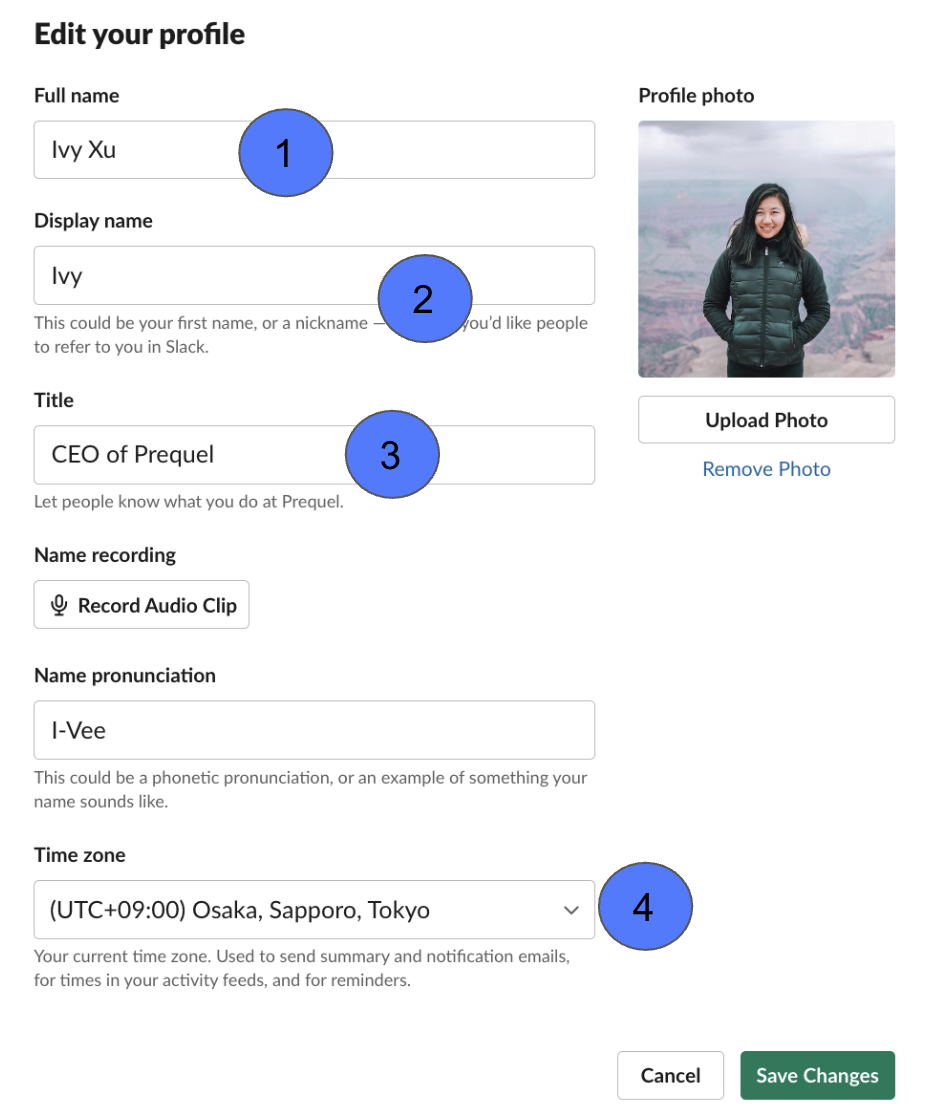
Update your profile with:
-
Profile Photo
-
Display Name (ie. how you want to be referred by)
-
Your Role
-
Your Timezone
Slack Channels
- Slack convos are organized within dedicated spaces called “channels”
- Keep convos within relevant channels to keep info in one place, easily allowing the team to share ideas, make decisions and move work forward
- Aim to keep convos in public channels (unless confidential/personal) so the rest of the team can be looped in (when/if needed)

Practice Workplace Hygiene
Slack guidelines
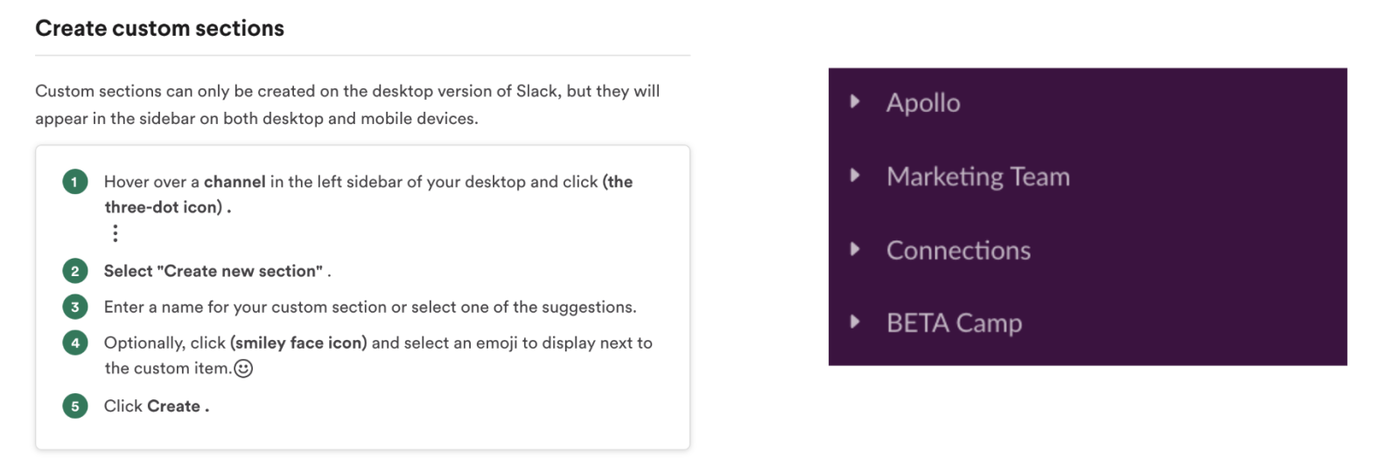
Stay in the know
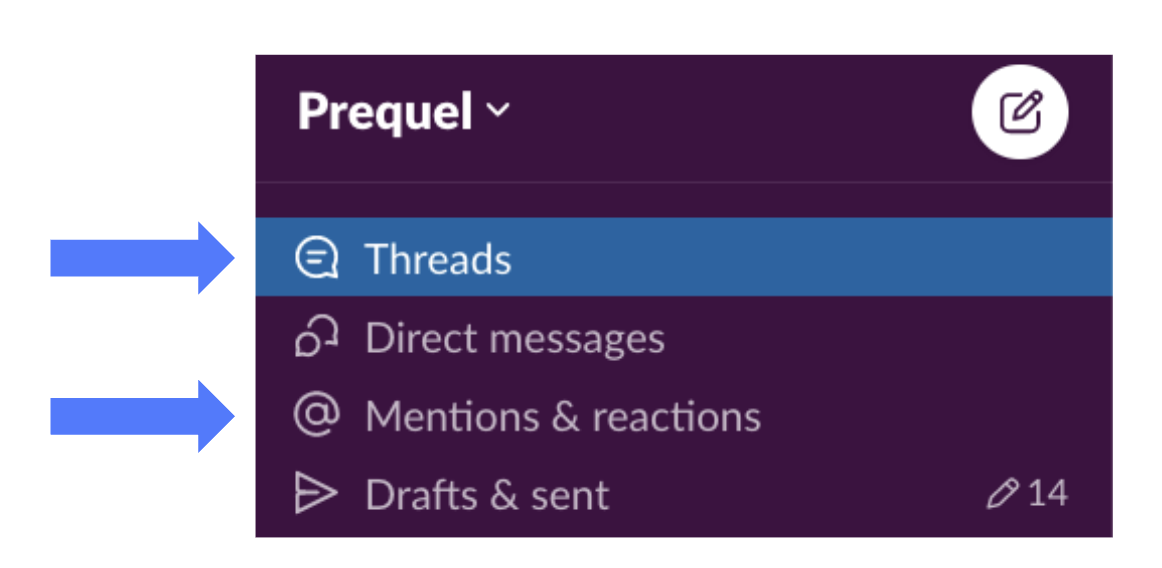
Checking Threads and Mentions allows you to see if you’re up to date with the discussions you’re tagged in.
This should be the first areas you check when signing on
Validate Your Teammates
A team member asks you a question, or you’ve been tagged in something?
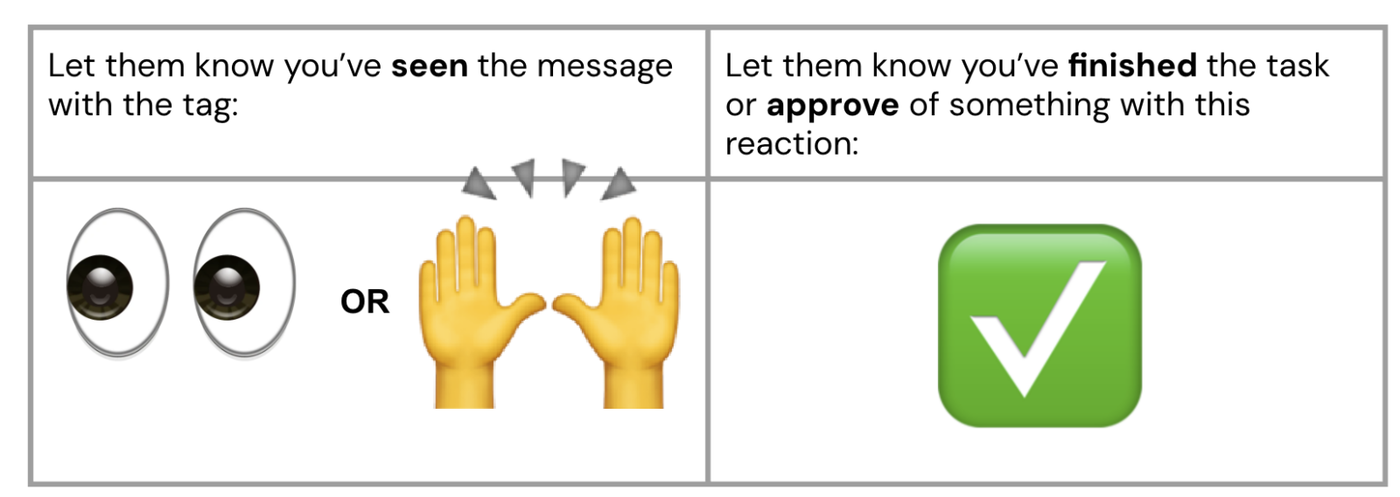
Respond to Slack messages at your earliest convenience. Response time should remain within 24 business hours.
For Faster Reaction Time
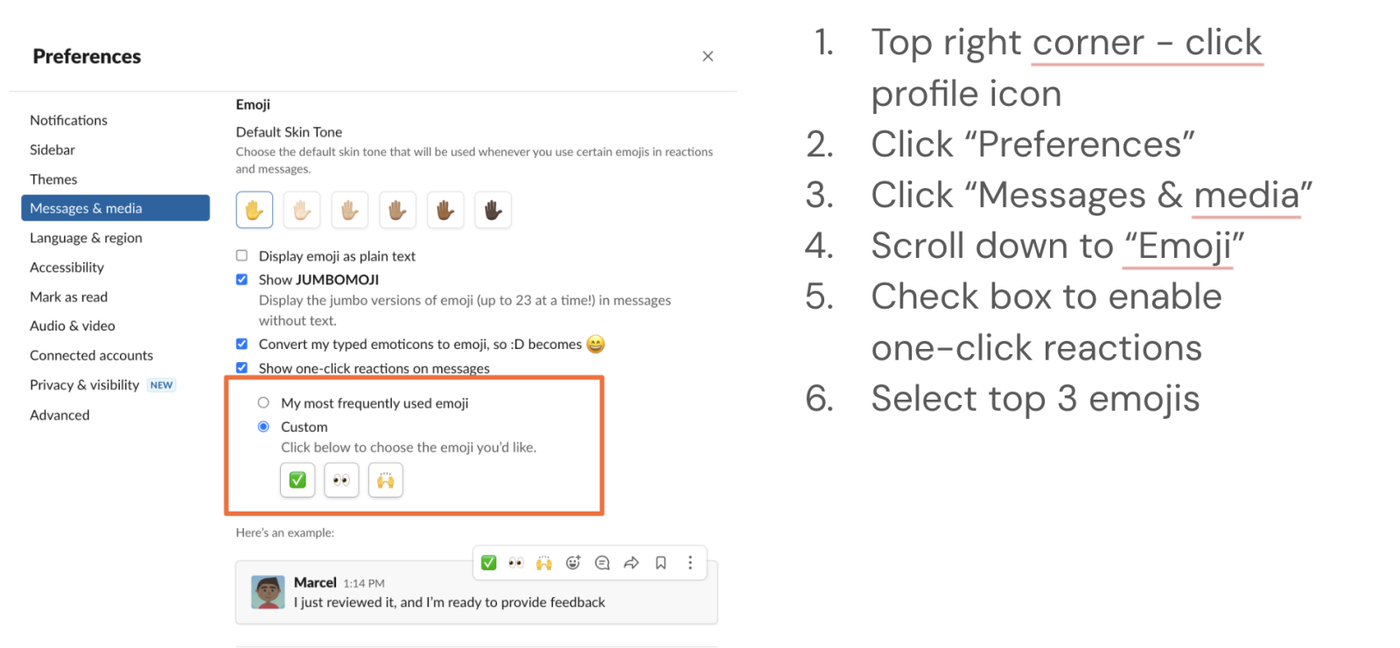
Don’t forget to respond!
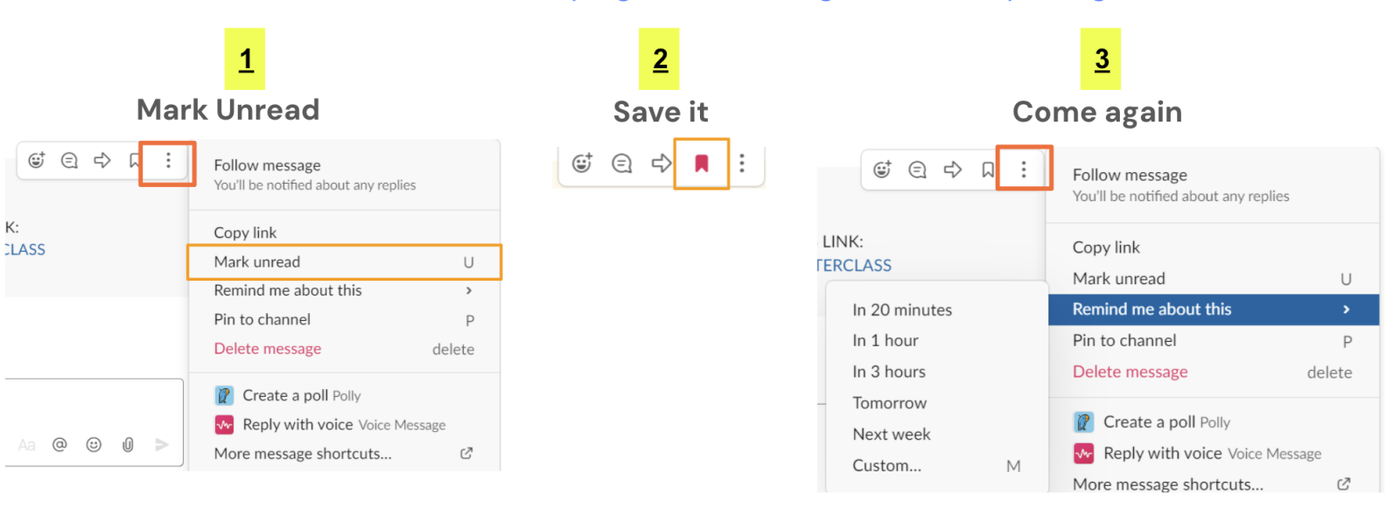
Here are 3 quick ways to keep track of and remind yourself to revisit important messages
Click the 3 dots on the top right of a message to choose your fighter
Anatomy of Effective Message Formatting
- Bolded title that is clear and concise - this is your TLDR, headline, CTA if you’re asking someone for help. It contains the main point of your message
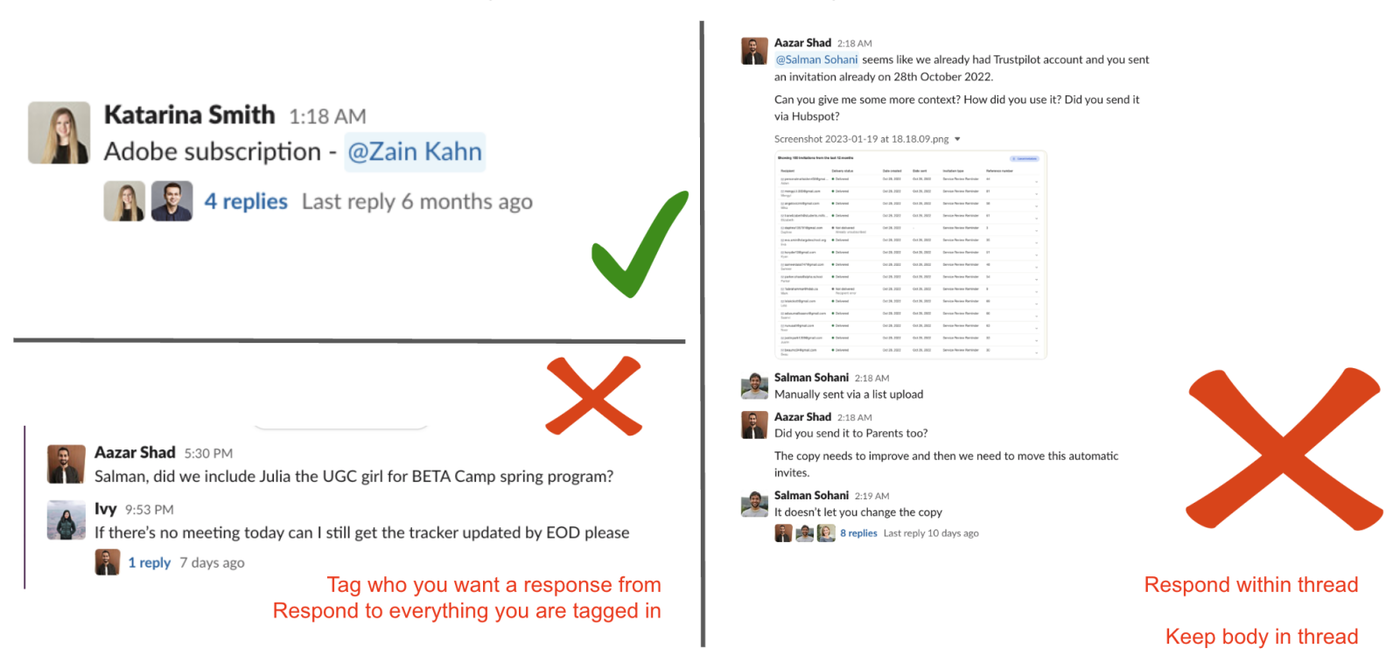
- Relevant parties are tagged @name, or cc: @name if it’s an FYI message
- Key information is displayed concisely along with linked task (if necessary).
- Main body text (including context and screenshots) should be posted within the relevant thread. Conversations to continue in thread.
Examples below 👇
Effective Message Formatting + Threads
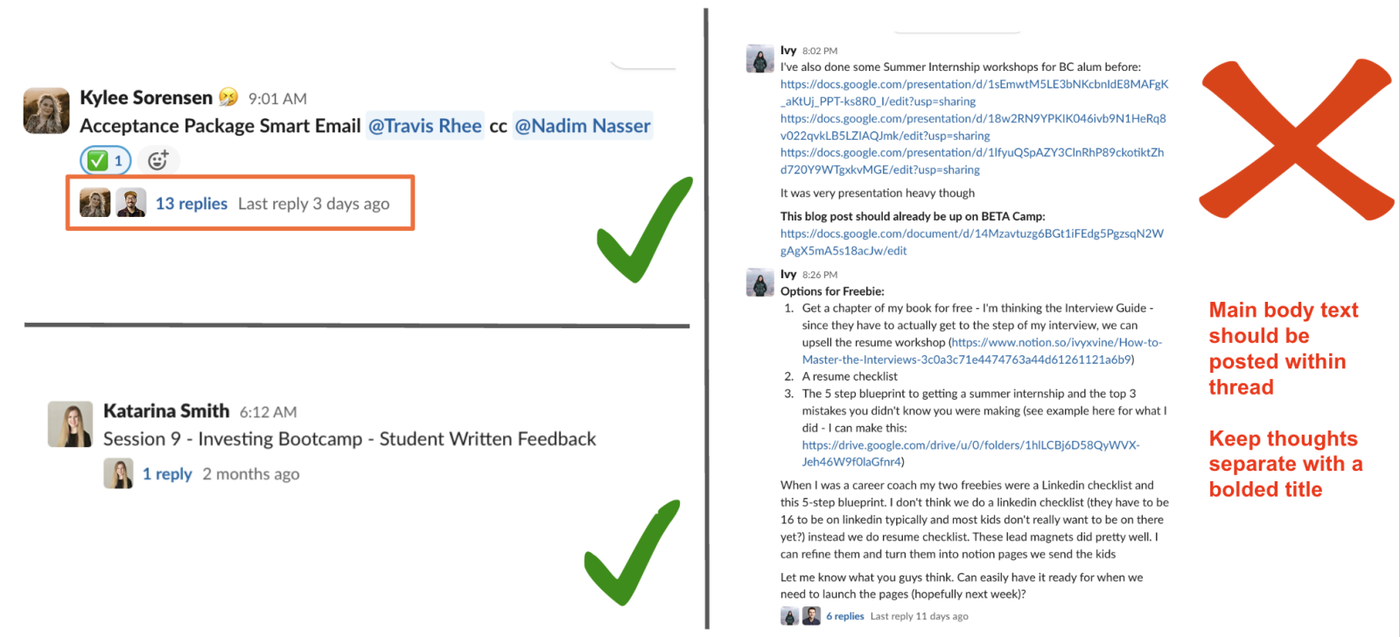
Effective Message Formatting + Threads
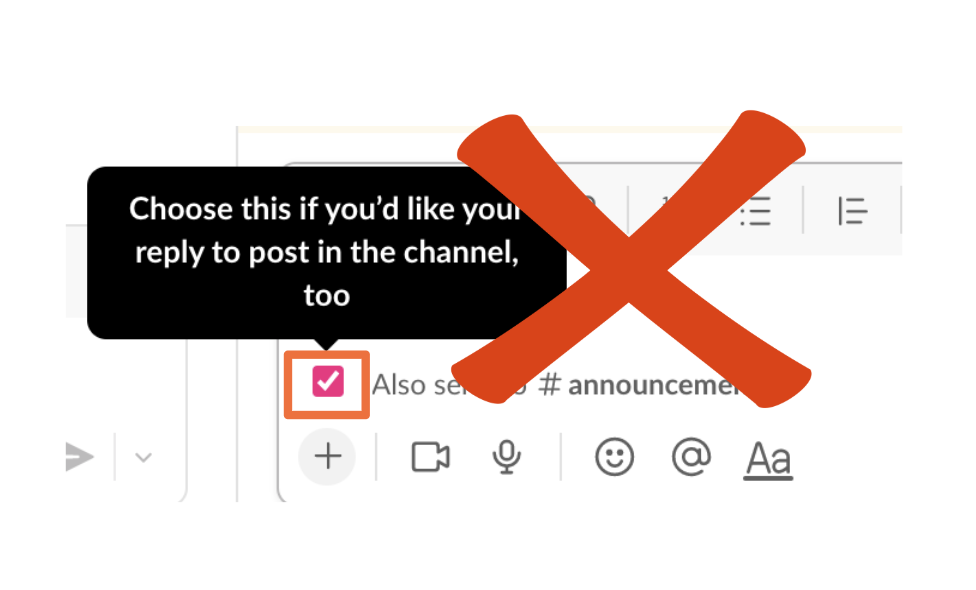
Posting thread replies to the channel
Key information from Slack threads can be posted directly in the channel by selecting the checkbox option.
This feature should ONLY be used when essential/important info comes up that the entire channel should be looped in on to keep the channels streamlined and clean.
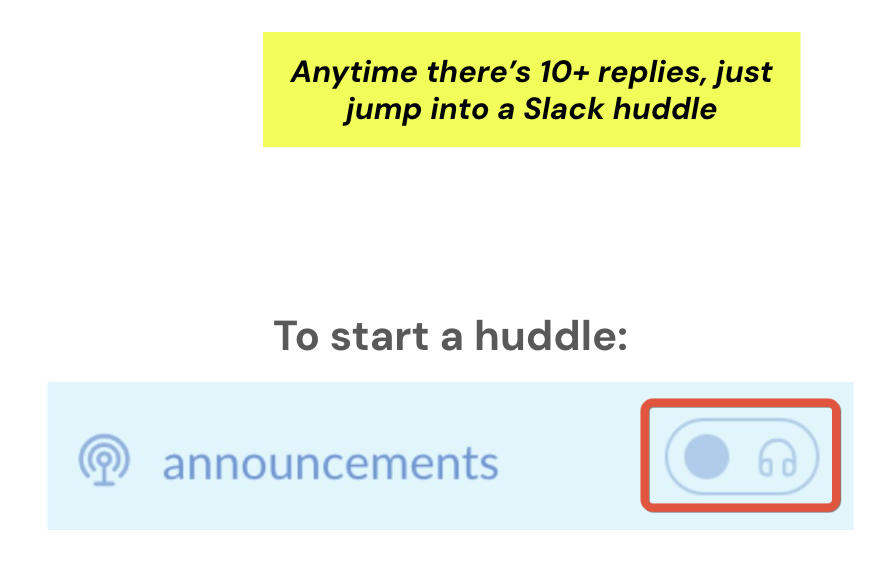
Slack Huddles
Slack Huddles are designed to recreate the quick, informal discussions you’d have in the office right in Slack. You can start a huddle in any channel or direct message (DM), invite specific people to join, and share your screen to work side-by-side with your team.
What to share in a Slack message?
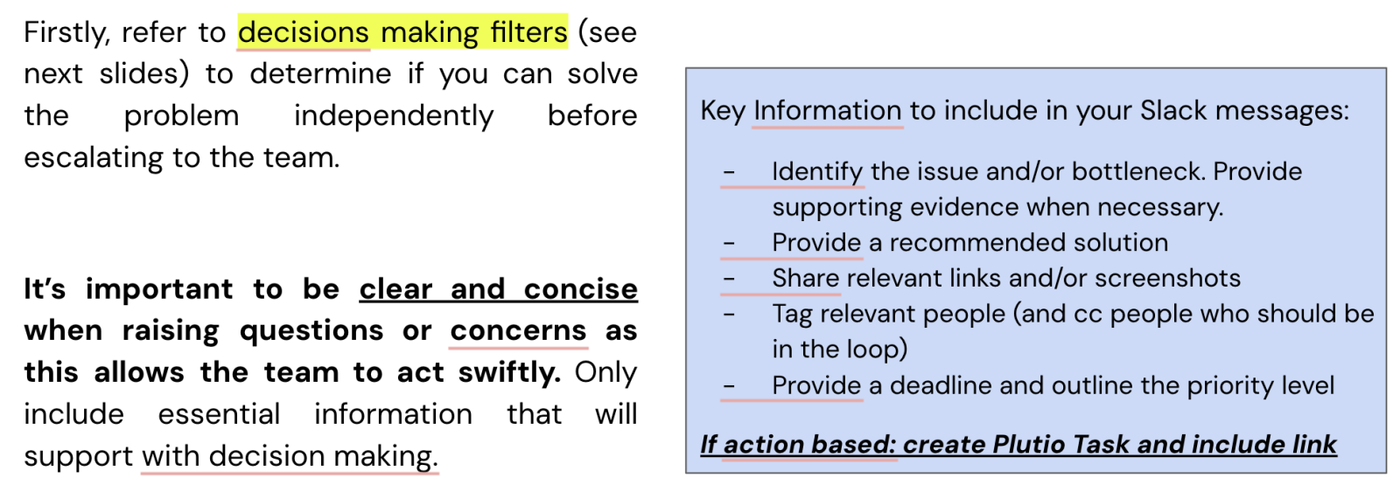
Remember, simplicity is key to success. Do not overcomplicate it.
Decision-making filters
What processes should you go through before coming to the team about it on Slack?
Why is it important to use filters?
-
The ask is very clear so people know how to help you or answer your questions
-
It saves time for everyone involved in the decision-making process
-
Team members see the urgency and importance of your request
-
Slack becomes less cluttered with back-and-forth messages
Team Member Filters
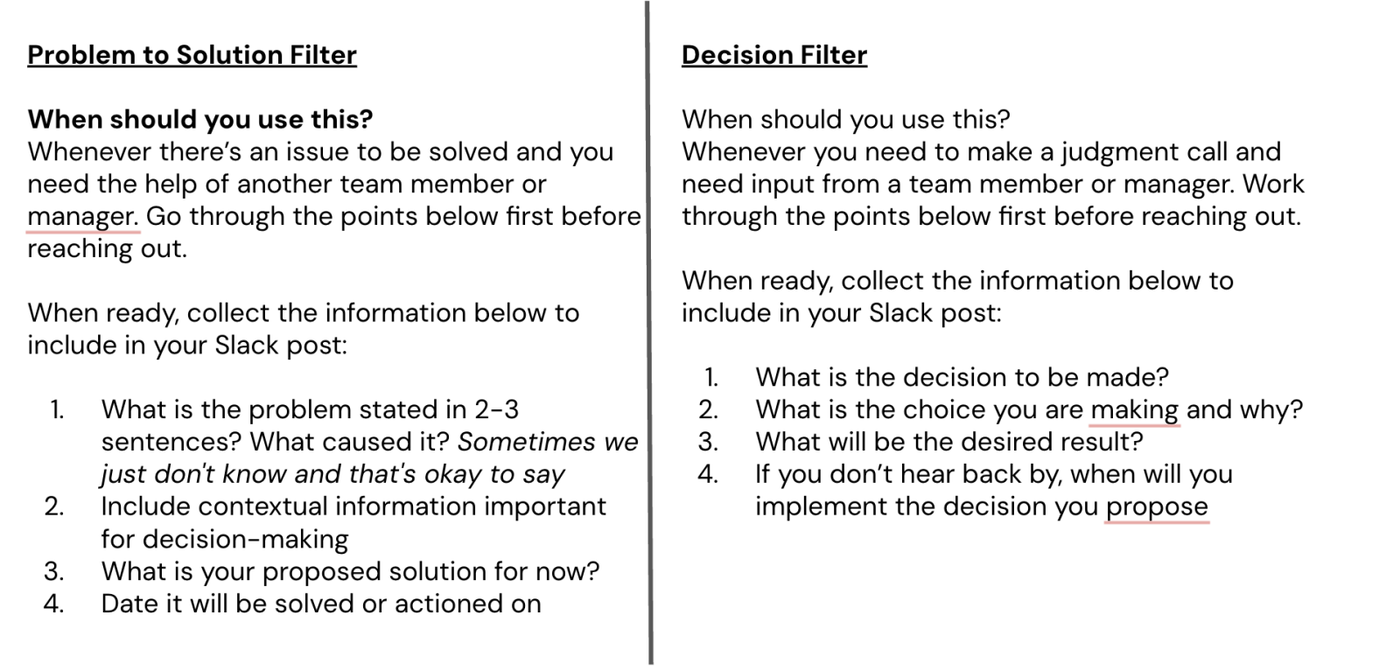
How to format your asks in Slack
-
The first line of your post should be bolded with what you are asking of your team members (thesis statement)
-
In the next line, tag the people who need to be a part of this decision-making process. Likewise, you can tag the relevant people throughout the post where their attention is most needed.
-
Write the body of your post to explain the context.
-
Write the deadline at the bottom of the post with pthe roposed next steps and action that will be taken.
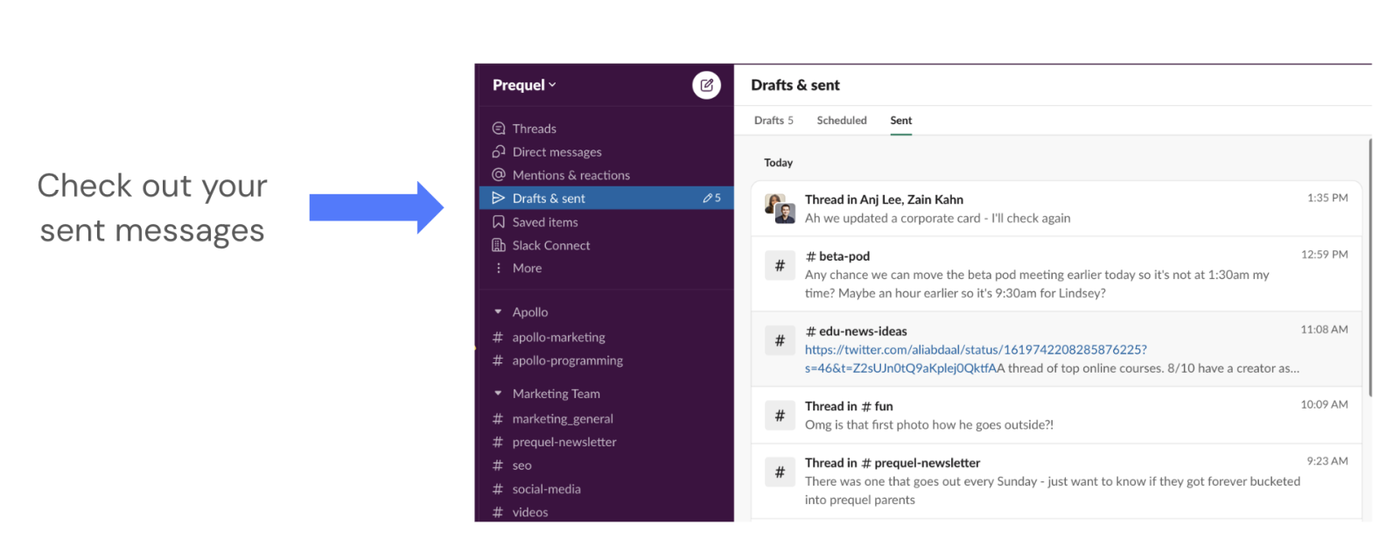
Looking for a message you sent?
Signing On Daily Standup
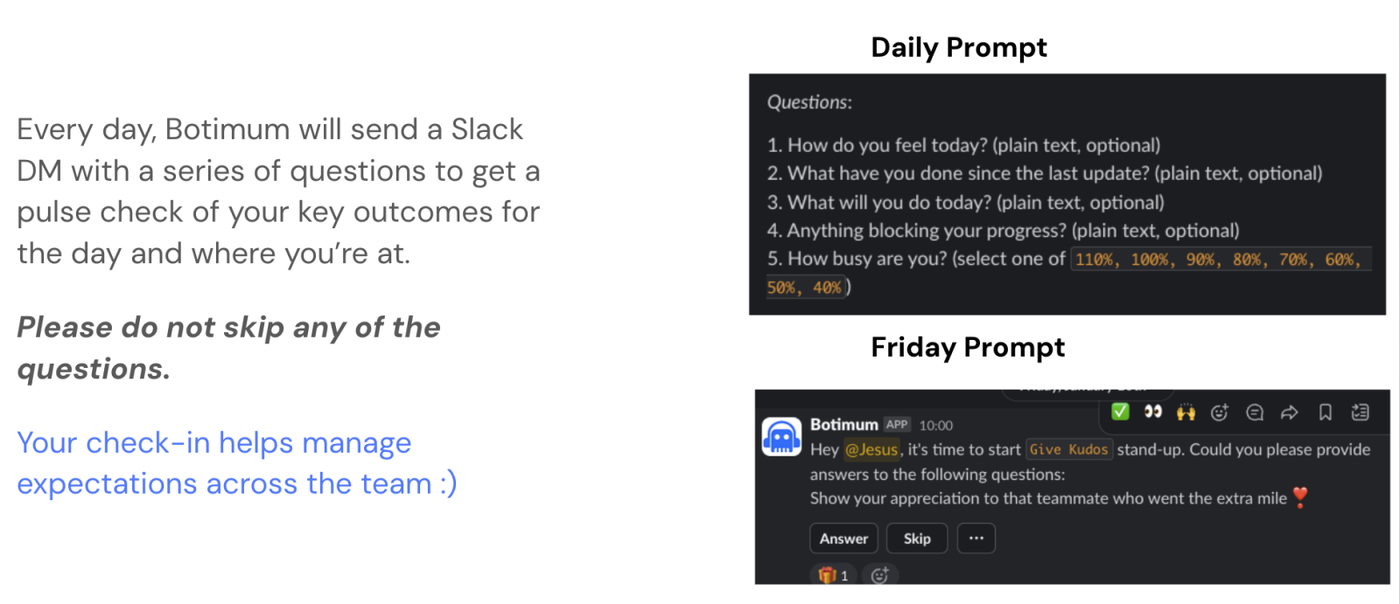
* Standup prompts are mandatory *
Status Update
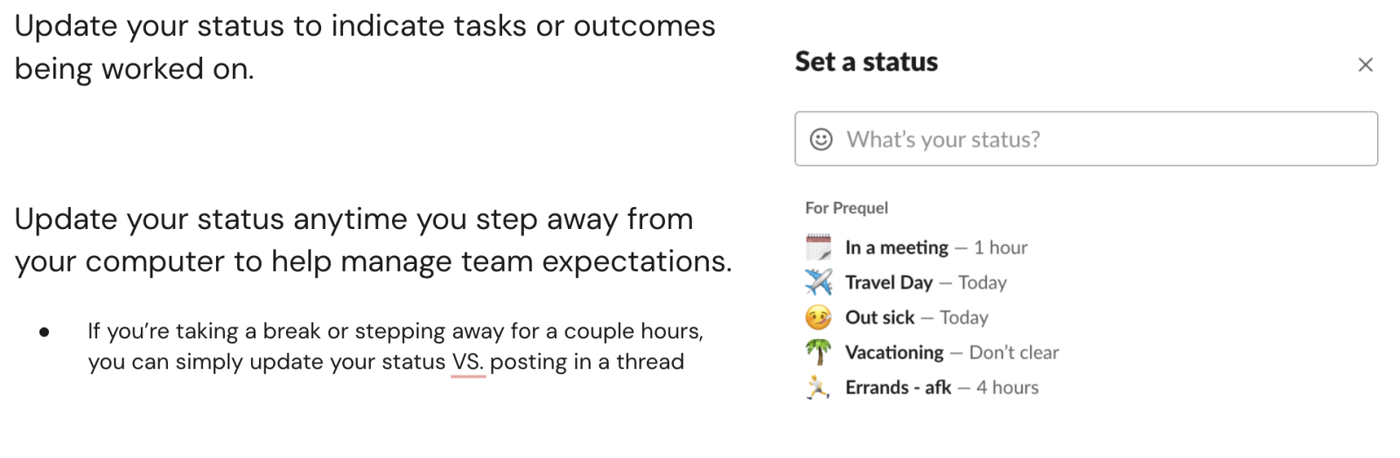
Status Update - Team calendar
We have a team calendar that you have been added to
Since we have team members working weekends, please mark your days that you are out of office on the team calendar.
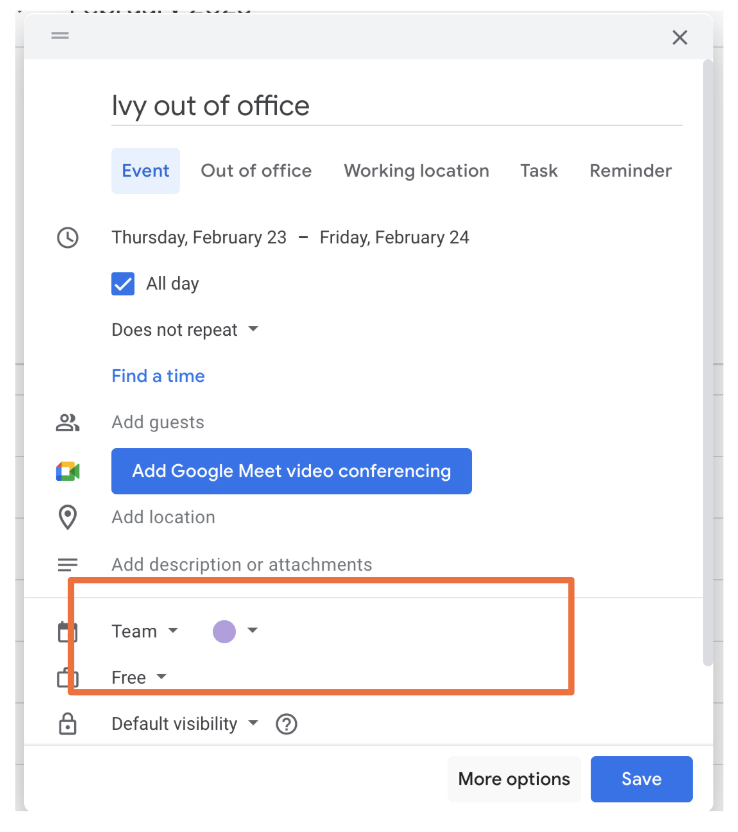
Also add your birthday to the team calendar! 🎂
TLDR: Most important reminders
-
Keep slack clean by:
-
Posting in the right channels
-
Bolding the topic/question as the main post and posting the details of the body in thread
-
Replying within threads
-
Format your asks in Slack via decision making filters
-
Make it clear by tagging who you need a response from and who is cc’d in the loop
-
-
Respond to your teammates!
-
You should respond or react via emoji to everything you are tagged in
-
24 hour business day response rate but should be at earliest convenience
-
💛⚡ Happy communicating ⚡💛
