Refinement Phase
This Refinement Week SOP is applicable to all Product Engineers and team members responsible for executing the Scope Refinement Process. This SOP is also meant to be a guide for PMs to know what to expect from the Refinement Phase.
Why this is important
To ensure a comprehensive understanding and documentation of the scope and deliverables expected from the project/app to be developed.
Definitions
Refinement Phase: A dedicated phase for finalizing project scope, documentation, and deliverables, involving daily calls with the client.
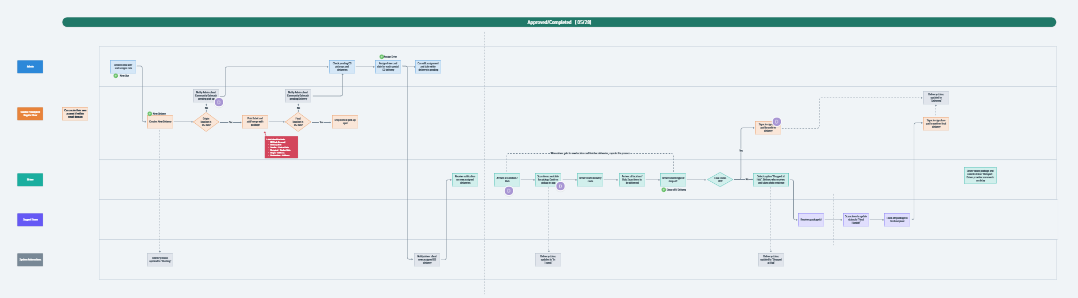
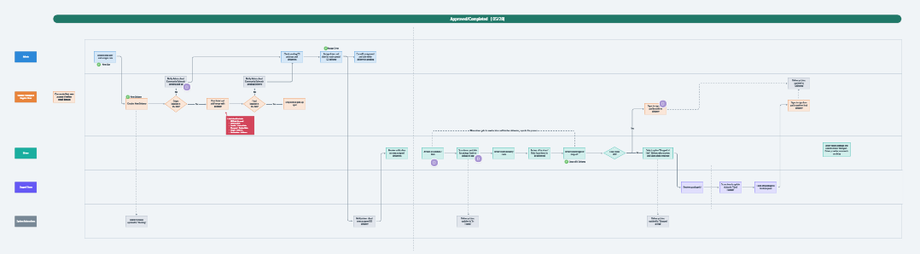
Process Flow Diagram: A structured representation of business processes managed within the app. It maps user actions, responsibilities, and system automations using lane-based roles. This ensures clarity in workflows, defining task ownership, approval steps, and automated triggers to optimize efficiency and accountability in operations.
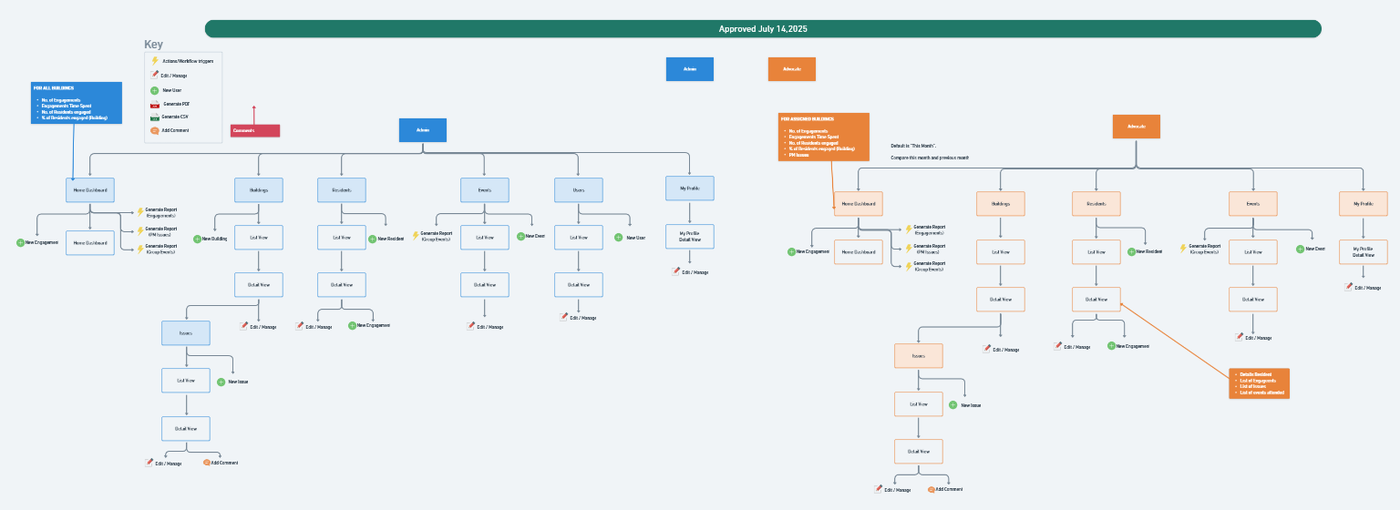
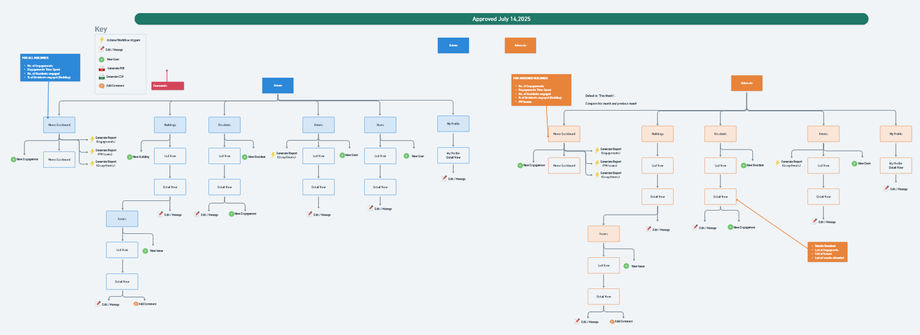
Sitemap Diagram: A visual representation of a user’s navigation, actions, and interactions within a system. It maps out screens, workflows, and key functionalities for a specific role.
User Role: A defined set of permissions and responsibilities assigned to a user within the app. It determines access levels, available actions, and interactions with system features, ensuring role-based control over workflows, data, and functionalities.
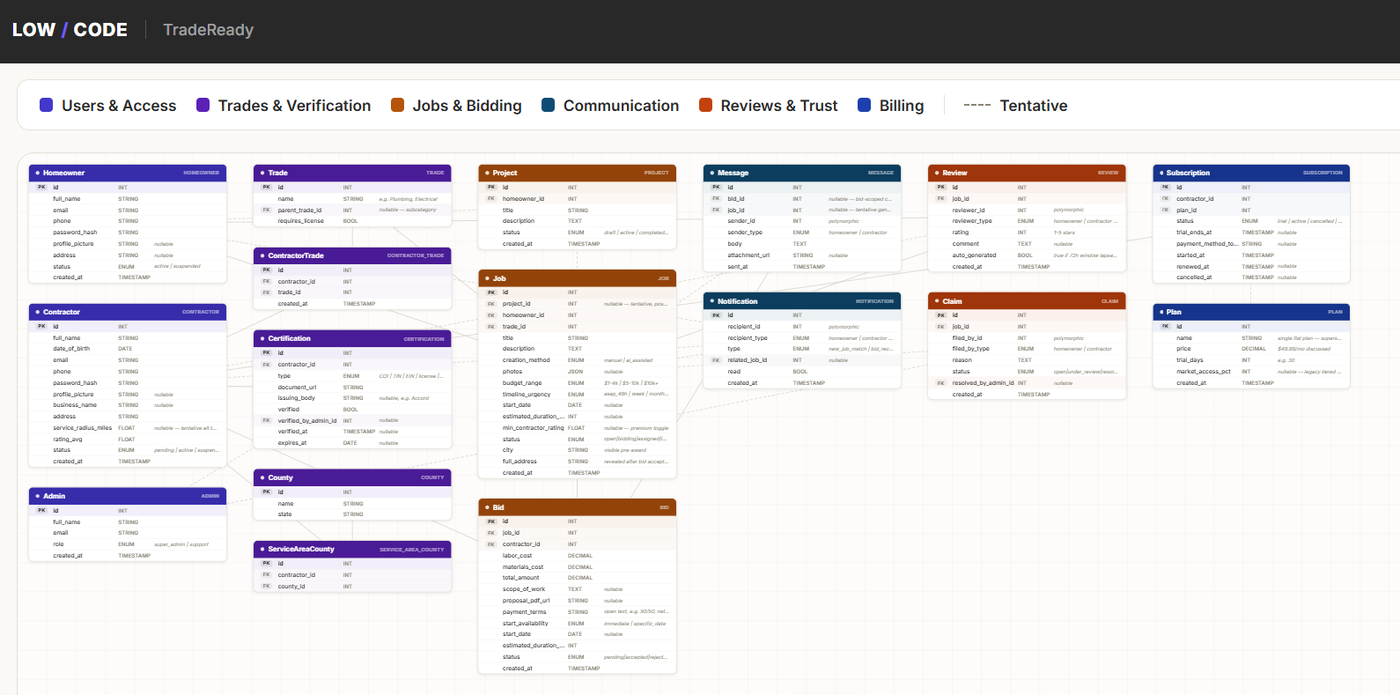
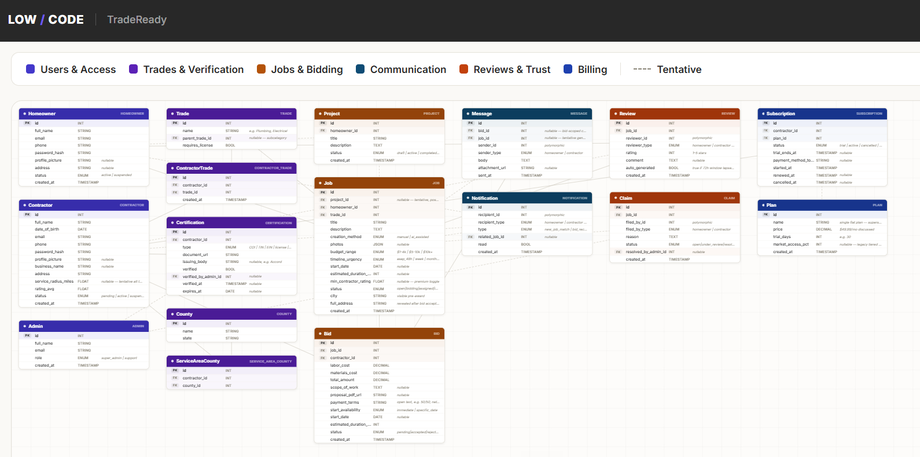
Data Model: A high-level representation of the main entities and their relationships within a system.
Data Model skill: Claude → data-model-generator
Data Sheet: A structured online worksheet used by Business Analysts to define key system elements, including notifications and triggers, user forms and fields, entity statuses, and a user permission matrix. It ensures clarity in app functionalities, user interactions, and role-based permissions.
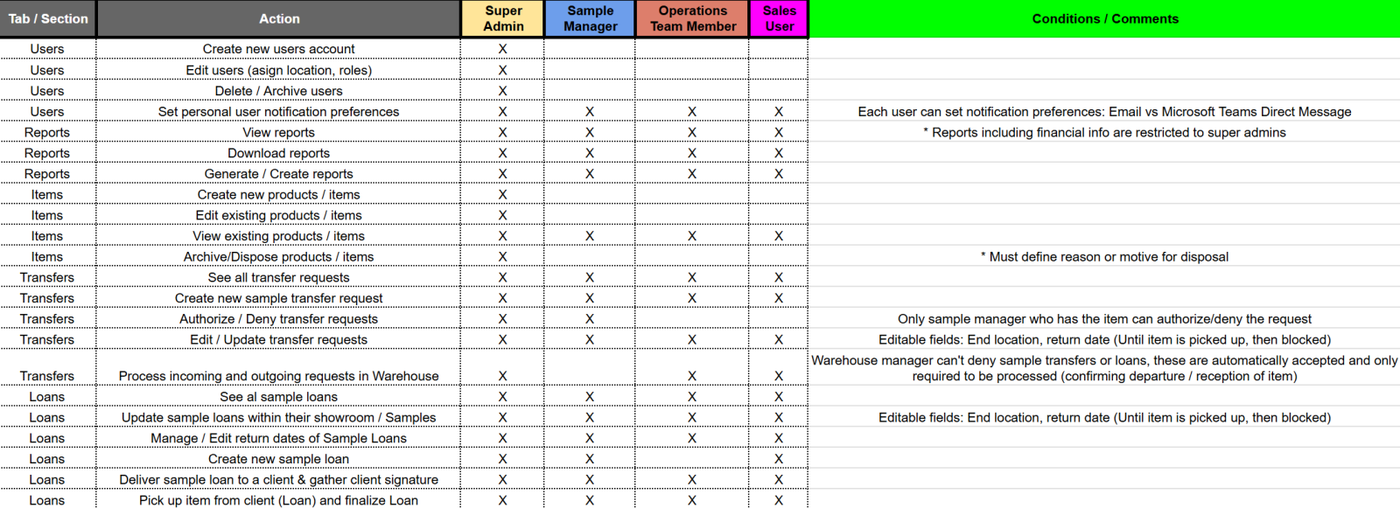
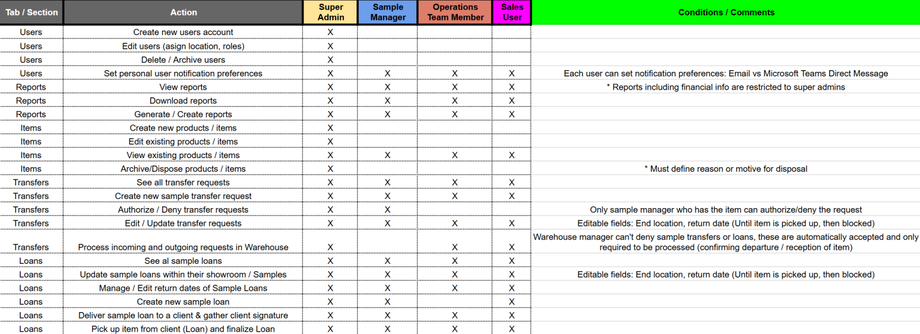
User Permission Matrix: A structured matrix that maps all possible actions within the app to specific user roles, defining their permissions and access levels. It ensures role-based control, clarifies user capabilities, and supports security and functionality management across the system.
PRD (Product Requirements Document): Document that captures a complete overview on the scoped project. This is the main deliverable of the Refinement Phase.
SaaS PRD skill: Claude → saas-prd-generator
Internal Tool PRD skill: Claude → internal-prd-generator
Roadmap: A structured
.xlsxdocument that organizes a project's Deliverables (work units) into Epics (feature groupings, not technical layers). It bridges the PRD (client goals) and the dev team's estimation, outlining tasks, dependencies, and priorities.Skill: Claude → roadmap-generator
Template: Roadmap Template
Procedure
PE Assignment: Once the sales team have closed a new project sale, Head of Ops will assign a PM and PE to the new project.
Refinement Calls: PM will handle Kick-Off Call with the Client and book 1st Refinement Call. Before the first call is held, PE has to analyze the high-level scope the Sales Team prepared, in order to be ready and have enough context when starting the refinement process.
The Agenda for the first refinement call is:
Introduce yourself and introduction to the refinement phase.
Do a quick review of the scope that Sales Team has already built (If applicable), and take that as the starting point to build the following assets.
The focus on the first call should be to clearly identify the "North Star" of the Client (main goal); As well as the number of user roles required for this project (Who will use it) and start mapping the Process Flow (What will happen in the app)
Based on the results of each call, PE should always be very clear on the expected next calls, always being proactive in confirming the next calls.
Diagrams & Assets Development: The goal for the PE should be to be able to go through the assets in the following order:
Defining User Roles
Process Flow
Sitemap Flows
Datasheet (Forms & Fields, notifications, etc)
User Permission Matrix (In Datasheet)
Data Model
PRD
Roadmap
Going through the Refinement Week:
PE should make sure to show up to every call with significant progress regarding the mentioned assets. - Make the most out of the clients time in refinement calls.
PE should always keep the PM informed on any special request by the client, question on budget / timeline, and features to be included in the app.
PE is responsible for delivering the finalized Refinement Assets OTIF (On-Time, In-Form).
In case there is any doubt, question or something that needs to be clarified, always ask the PM assigned or escalate technical questions as soon as they appear to the Tech Lead (Post a message in the slack project channel if not sure who to ask for help).
When finalizing every refinement call, the PE should complete the following:
Add the TLDV call recording to the corresponding project TLDV folder
Add the TLDV call transcript to the corresponding Claude project context
Add the TLDV transcript to Resurrect; Re-generate refinement assets in Resurrect
In order to be able to generate a standard format for the assets and resources of the refinement week, here are examples of each asset:
Process Flow:
Sitemap:
Data Model:
User Permission Matrix:
Other Resources: This resources are not required in all scopes.
Item Flow: This diagram is required when the main process of the app consists in going through steps or statuses. This diagram consists of a visual representation of the possible statuses for an item and what are the actions that triggers it to change status.

External Data Sources: This diagram is required when the app needs to ingest data from an external app/DB/ Data source/ etc. This diagram consists of a visual representation of: External DBs, Data to be pulled from external DB and how this data will look like in the new app.
Finalizing Refinement Phase:
PE should make sure the PRD is updated with the latest features, agreements and exclusions defined in this stage.
Roadmap Generation: PE is responsible for creating the roadmap based on the PRD (Claude Skill: Roadmap-Generation) and deliver to Dev for time estimation.
PE must make sure to hand-off the completed PRD and Refinement Assets to the PM and Designer in the Refinement Hand-Off Call, and be ready to help the PM or the design team to understand any question or doubt in the scope.
After the Design Phase is completed, PE is responsible for updating the the required adjustments to the PRD according to any possible changes during Design Phase.
Documentation or References:
Boards and spaces for all assets and resources are already included in the Scope Template that the Sales Team will handoff to the Product Engineer, except for the Datasheet. The Datasheet should be created by the PE using the Datasheet Template